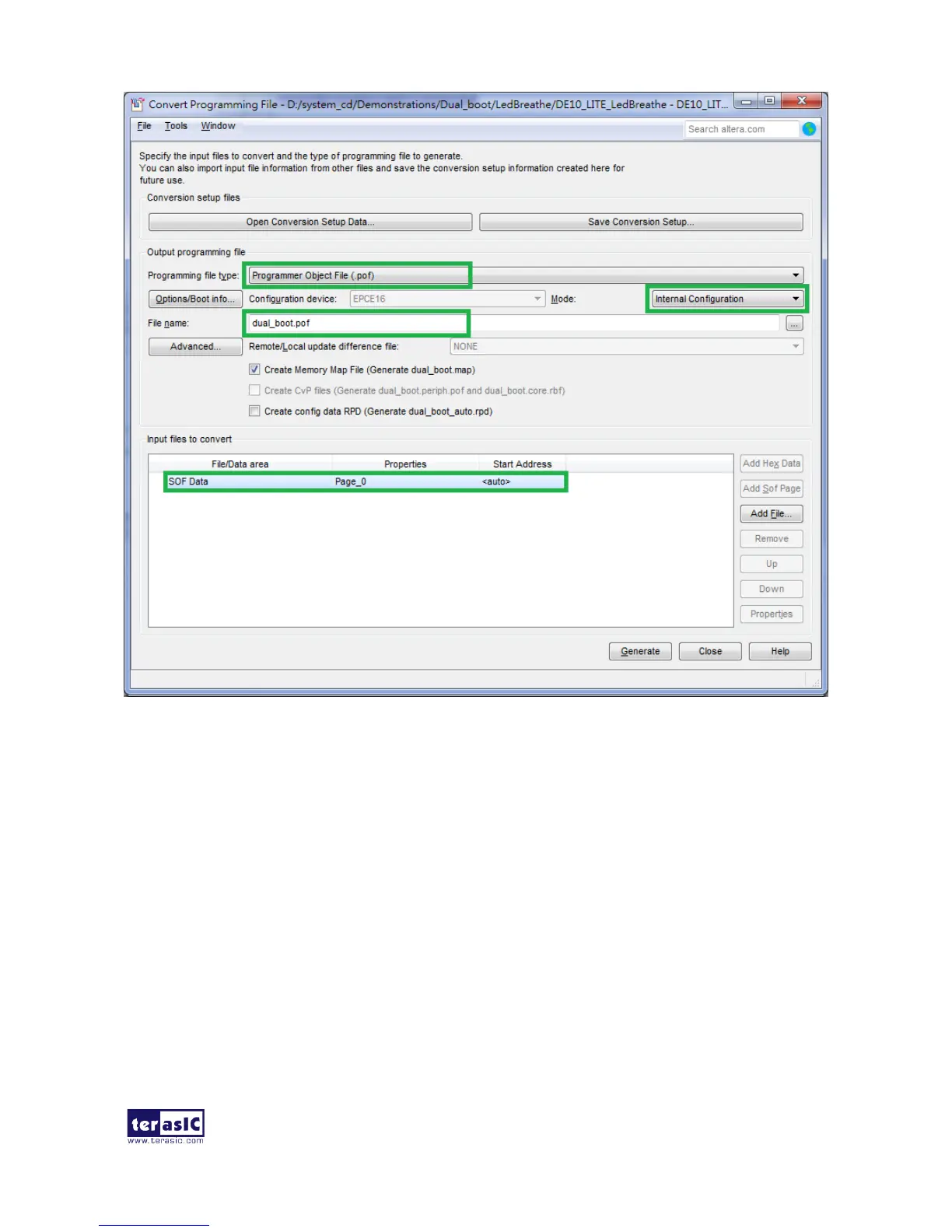
Figure 6-14 Dialog of Convert Programming Files and setting
6. Click Add File and select the DE10_LITE_LedBreathe.sof of LedBreathe demo to be the sof
data of Page_0.
7. Click Add Sof Page to add Page_1 and click Add File, Select the DE10_LITE_GSensor.sof of
GSensor demo to be the .sof data of Page_1 as shown in Figure 6-15.
8. Click Generate.
These project files can be found in the CD directorie \Demonstrations\Dual_boot\


 To Next Page