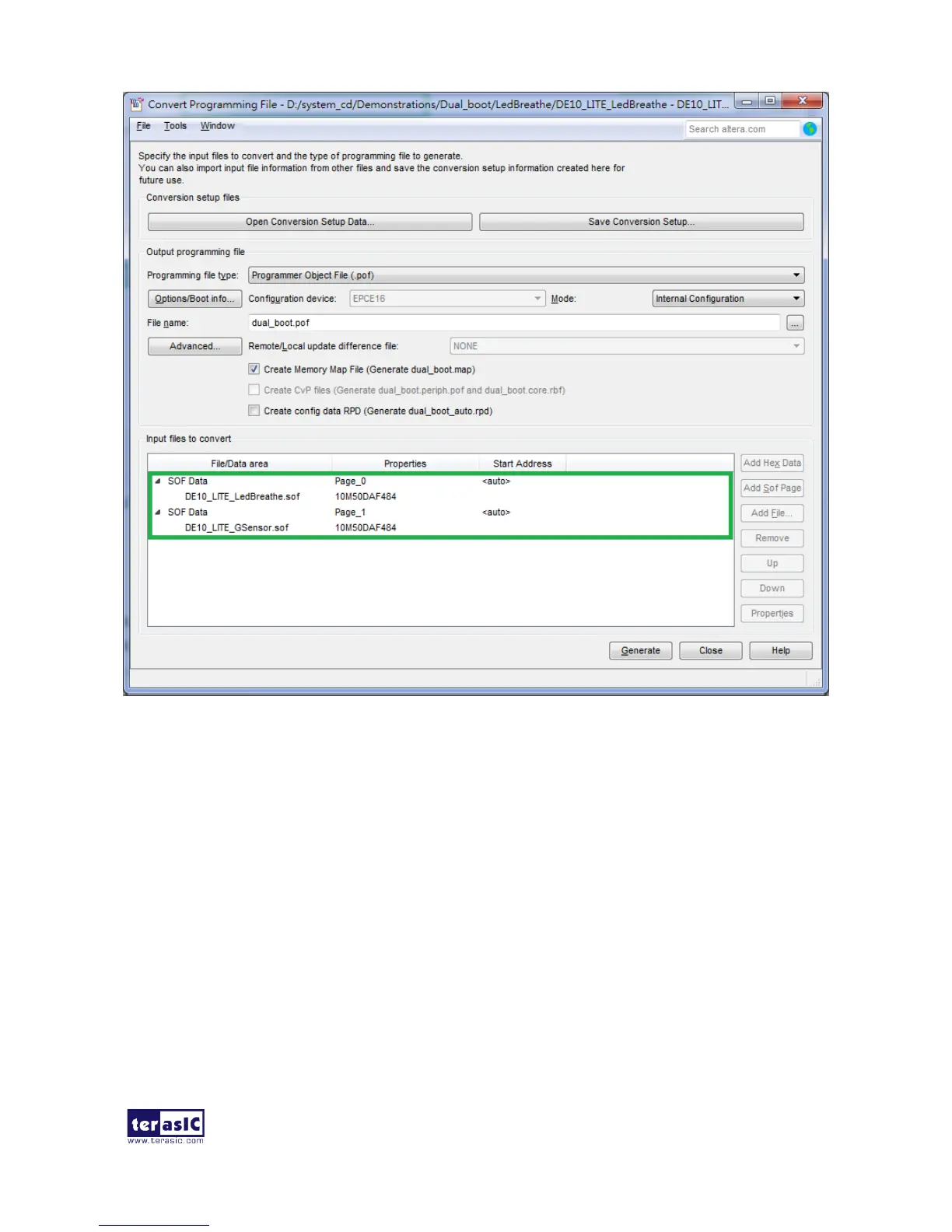
Figure 6-15 Add sof page and sof file
II. Write POF File into the CFM Device
When the conversion of SOF-to-POF file is complete, please follow the steps below to program the
MAX 10 device with the .pof file created in Quartus II Programmer.
1. Choose Programmer from the Tools menu and the Chain.cdf window will appear.
2. Click Hardware Setup and then select the USB-Blaster as shown in Figure 6-16.
3. Click Add File and then select the dual_boot.pof.
4. Program the CFM device by clicking the corresponding Program/Configure and Verify box,
as shown in Figure 6-17.
5. Click Start to program the CFM device.


 To Next Page