Controls and Operating
3-9
BASIC DATA
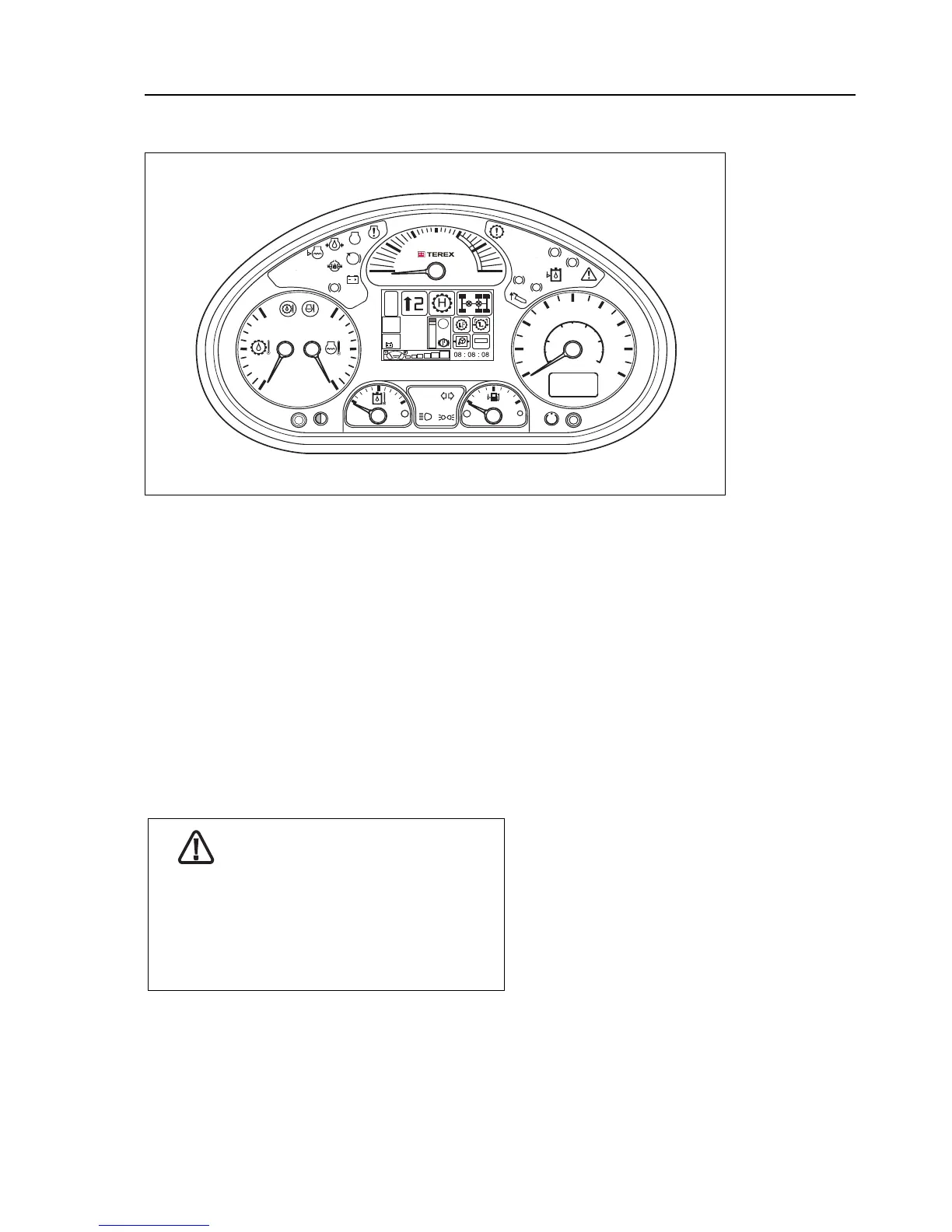
Operating the machine is supported by a combined dashboard display.
The dashboard display provides machine information to the operator
through various gauges and indicators. Beside this indication and display
capabilities the dashboard display also provides up to 36 digital inputs,
which are mostly used as inputs for the Rocker Switches located on the
dashboard.
The illustration above shows the dashboard display layout. The meaning
of all LED Indicators are given in the following pages.
The dashboard display consists of the following:
1. Warning lights and symbols
2. Instruments
3. 3.5” color display and buttons
CAUTION
When removing the Giga Panel (above)
do not use sharp objects to leaver the
panel out as this will result in damage.
Kneel on the cab floor, place your hands
behind the panel and apply gentle pressure
with your fingers until it releases.



 To Next Page