Controls and Operating
3-18
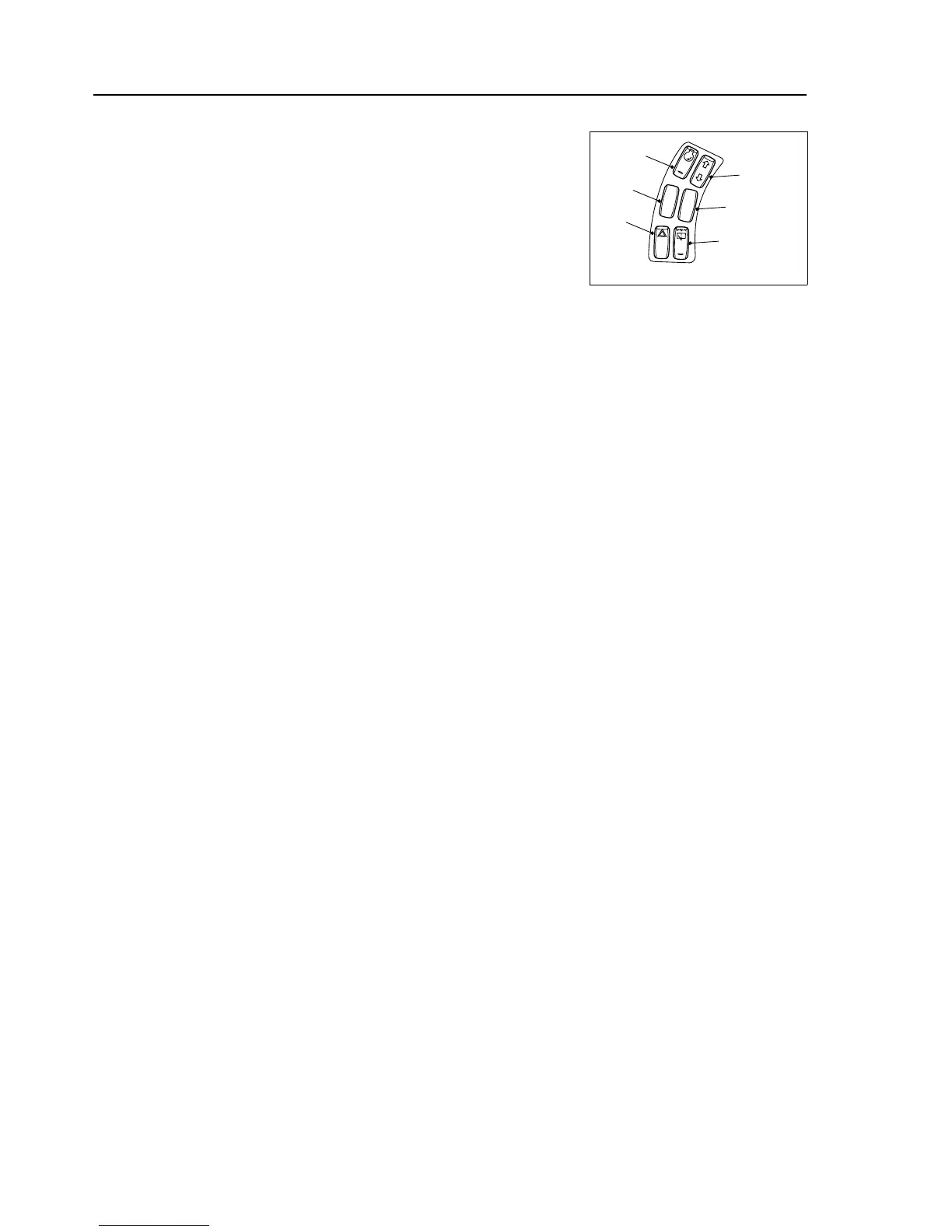
Switches
1. Hazard Warning Lights - Press the bottom of the switch to make the
indicators flash simultaneously as hazard warning lights. The direction
indicator warning lamp on the instrument panel will flash (ensure that
the ignition / power is ON). To switch the hazard lights off; press the
top of the switch.
2. N/A
3. Display Menu OK Switch - The "Display-Menu O.K. Switch", also
called as the "Left Menu Control Button" is to be used to change
values (brightness setup, setting date/time, etc.) of the menu screen or
to be used as ‘ENTER / OK’ Button in particular situations.
This switch is also used to switch off the buzzer by keeping it pressed
for 4 seconds, when the engine is not running.
4. Display Menu Navigation Switch - Switching between the different
screens is performed using this switch.
5. N/A
6. Rear Wash/Wipe - Press the bottom of the switch to operate the rear
screen wiper. Press the switch and hold for wash. To switch off, press
the top of the switch.


 To Next Page