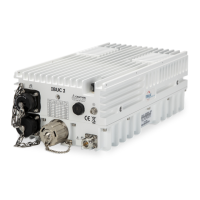
IBUC Operation Manual
Terrasat Communications, Inc.
Rev. A
7-29
IP Address 192.168.1.254
IP Gateway 192.168.1.1
Subnet Mask 255.255.255.0
Telnet Port 23
Note: Your computer should have a static IP address on the same subnet as the Rx 1+1
Interface Module. Using a suitable cable, connect the computer to the Rx 1+1 Interface
Module J1 connector. Note: If an Ethernet hub is not used to connect to the Rx 1+1
Interface Module, then a crossover cable must be used. An Ethernet hub will function
with a straight connect cable. Please see the attached drawing.
Telnet:
On the host computer activate a command prompt window. Enter Telnet 192.168.1.254
and a cursor should appear on the left of the screen. Type the password command,
CPE=1234, and the response will be RX1+1>_. Commands may now be entered to
access the Rx 1+1 Interface Module functionality. Please see Command List attached.
Web Server:
On the host computer activate a web browser window. In the address window type
HTTP://192.168.1.254 and press enter. Within a few seconds you should see the login
screen. On the login screen, enter 1234 in the login box and press the Login button.
You will be taken to the Alarm Status page where you can select from the following web
pages:
• Network Config
• Alarm Config
• Alarm Status
• Sensor Status
• Alarm Control
• Redundant Control
The “Status” pages enable monitoring of various Rx 1+1 Interface Module parameters.
Alarms are color coded with green indicating OK, orange as a warning, and red as an
alarm condition.
The “Configuration” pages provide access for changing factory default settings to suit
specific site or network requirements. Settings take effect when you press the “Update”
button. Note that some changes in configuration will cause a loss of communication with
the host computer. It will then be necessary to make the corresponding change in the
host computer. For example, here are instructions on changing a unit’s IP address
(using the default settings):
Navigate to the “Network Config” page
Change the IP address to something other than 192.168.1.254 (the factory default)
Press “Update”.
Note that IP address changes take effect immediately.


 To Next Page