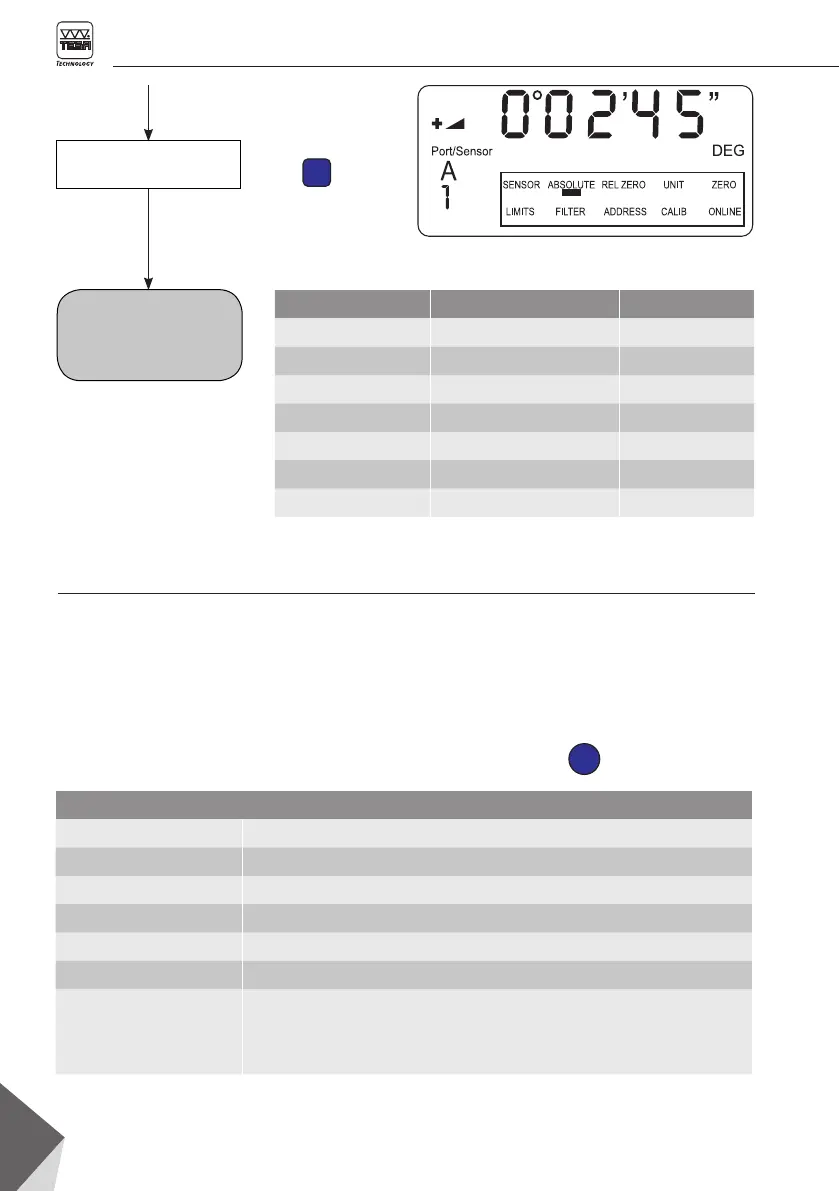
ENTER
34
Confirm
factory settings
Clinobevel 2 is reset to
factory settings as listed
opposite
Parameter Configuration Chapter
Display setting Initial setting 6
Measuring mode ABSOLUTE 6.1
Measurement unit Degrees, sexagesimal 7.1
Relative base length 1000 mm 7.2
Sensor PORT A, no sensor 7.5
(ERROR 2) 9.3
Filtre Step 1 7.3
Data output and format – Active mode
MessMode_A [sss Aaaa sn.nnnnnn<cr>]
MessMode_B [sss Baaa sn.nnnnnn<cr>]
MessMode_A_minus B [sss Aaaa-Baaa sn.nnnnnn<cr>]
MessMode_A_B [sss Aaaa sn.nnnnnn Baaa sn.nnnnnn<cr>]
sss = 0 … 255 - gradual
aaa = Sensor address 1 … 255 (ex. 004) / ML/LT NT 1-32
sn.nnnnnn = +9.999999 - Positive Overrange
–9.999999 - Negative Overrange
Typical value - Angle in radian, ex. +0.226349
Values stored at the time the inclinometer was adjusted remain in the
memory. Any further configuration get lost.
Any displayed value can be transferred via the
RS 232 serial output to the connected peripheral
unit, e.g. PC or printer.
9.5 Data transfer (SEND function)
To transfer a measured value, whether displayed
for a while or blocked through the HOLD func-
tion, just press the key shown below once









 To Next Page