4 Product description
12
Button Functions
[esc]
Back, cancel print process
[]
Switch display light on/off
[]
Transmit data to the Testo protocol printer.
Pos: 34 /TD/Produk tbeschreibung/ Übersicht/testo 3xx/ testo 310/testo 310 Disp lay @ 12\mod_133241163962 8_79.docx @ 114028 @ 3 @ 1
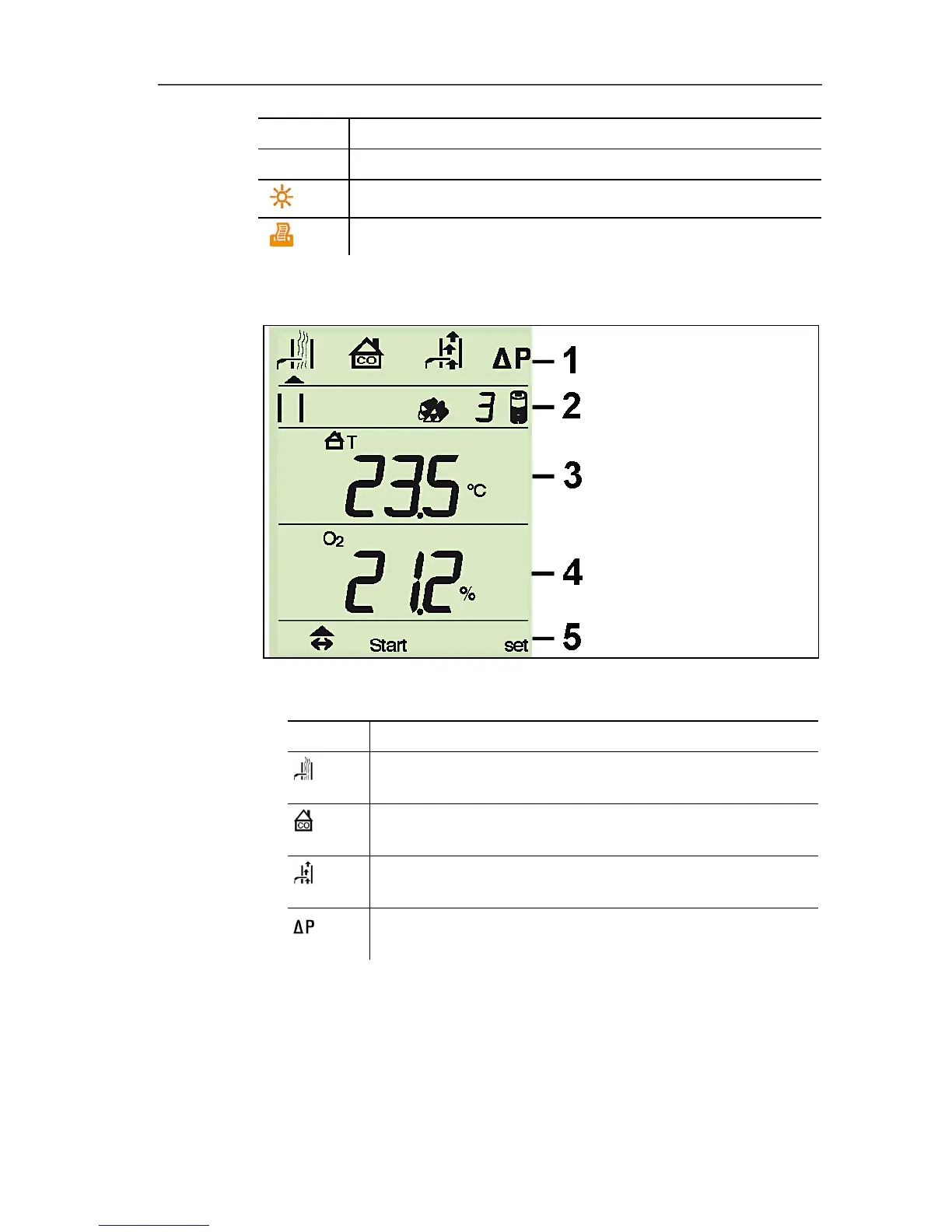
4.1.3. Display
1 Measurement type (an arrow marks the measurement type that
is activated):
Icon Measurement
Flue gas (icon visible when the instrument is
switched off)
Ambient CO (icon visible when the instrument is
switched off)
Draught (icon visible when the instrument is switched
off)
Differential pressure (icon visible when the
instrument is switched off)



 To Next Page