TI-84 Plus Cabrië Jr. Application Page 18
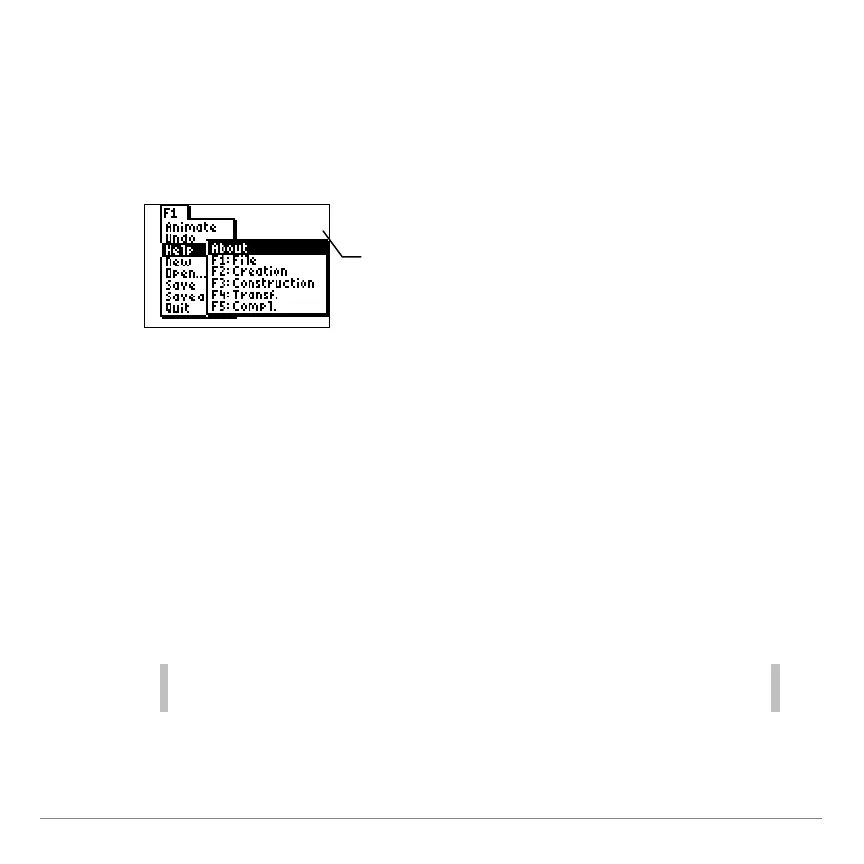
The menus are labeled F1-F5 and correspond to the graphing keys
directly below the screen. You can press the graphing key (o,
p, q, r, s) for the corresponding function key
or you can press ƒ plus the function key (F1-F5) to open a
menu.
• Press } and † to move the pointer from one menu item to the
next.
• Press ~ to display a submenu or to display the next menu to
the right.
• Press | to close a submenu or to display the next menu to the
left.
• When a submenu is displayed, press ~ to jump to the next
menu, for example, from an F1 submenu to the F2 menu.
Tip You can select a menu item by pressing the number that
corresponds to the item.
• Press ‘ to close the menus and return to the drawing
screen.
can press o or
press ƒ ^
to display the F1
menu.



 To Next Page
 Loading...













