AS 680/682
Technical Situation Display Description, Operation and Maintenance
ADS−B
4−34 Ed. 10.07
4.4.6 Statusbar
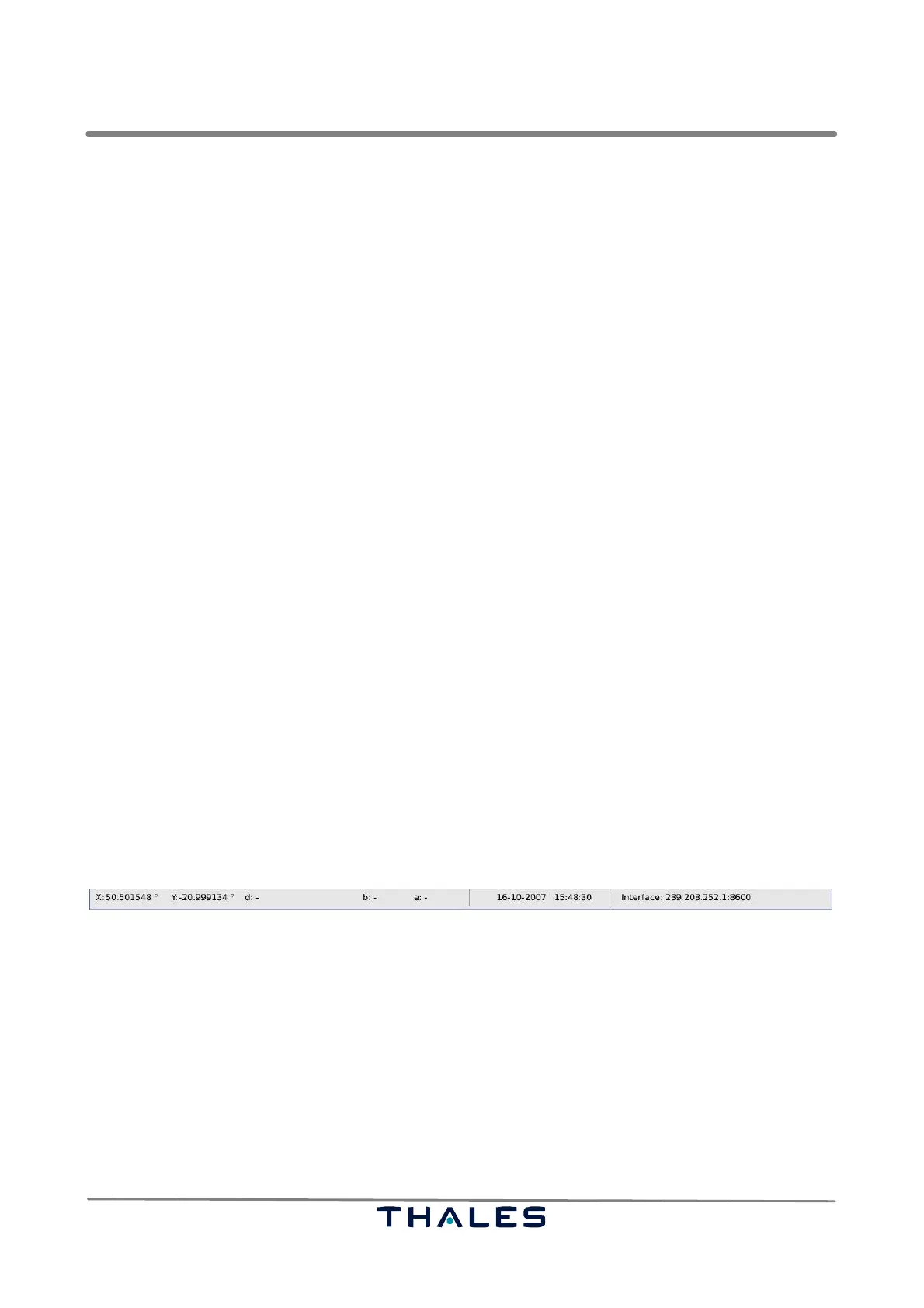
The statusbar at the bottom of the Technical Situation Display, see Fig. 4−52, contains the following
features:
S current position of the mouse pointer in the map view. In a cartesian co−ordination system, the
position is given in the unit meters with the Ground Station position as origin. In a spherical co−or-
dination system, the position is given in longitude (x−coordinate) and latitude (y−coordinate).
S during distance, bearing, elevation measurements, the third field (marked with ’d’) in the statusbar
shows the current distance, the fourth field (marked with ’b’) the bearing, and the fifth field (marked
with ’e’) the elevation of a measurement in the map view.
− The distance is measured in Nautical Miles (NM) and in meters (m) shown in brackets. The dis-
tance in meters is shown in braces.
− The bearing is measured in degrees from 0° up to 360°. The reference point of the bearing mea-
surement is the start point. The angle 0° is the geographical north. The measurement is done
clockwise, e.g. an object on the east side of the measurement’s start point has the bearing 90°.
− The elevation is measured in degrees from −90° up to +90°. The start point is the reference
point of the measurement. The reference plane of the elevation is a ’tangential’ plane contain-
ing the reference point, where the plane’s normal vector is parallel to the line from the center
of the earth to the reference point. For instance, an object exactly below the start point has the
elevation −90°, while an object exactly above the start point has an elevation of 90°. Due to
the earth curvature, the measurement of two points on the ground results in a negative eleva-
tion.
Measurements in the map view can be performed by holding the ’Shift’ key and dragging the
mouse holding the left button pressed (refer to section 4.4.5.1).
S the current date of the system in the format ’day−month−year hour:minute:second’.
S indicator of the activation of the ’View pursues Target’ mode (refer to section 4.4.5.1):
If the statusbar indicates "follow" the mode is active, else no indicator is shown.
S the network interface, the Technical Situation Display is currently listening to.
Fig. 4−52 TSD, Statusbar (example)


 To Next Page
 Loading...