AS 680/682
Display Configuration Tool Description, Operation and Maintenance
ADS−B
4−52 Ed. 10.07
S Background color of selected label: represents the background color of labels of selected targets.
S Color of selected plot: represents the color of the plots of selected targets.
S Font of the target label: gives the font to be used for the target labels. The selected font must be
available on the operating system.
4.5.7.16 Map Items Parameters
The node Map contains the parameter panels for the different map layers. These layers can be found
in the menu ’Map Items’ of the Technical Situation Display. The configuration panels of the different
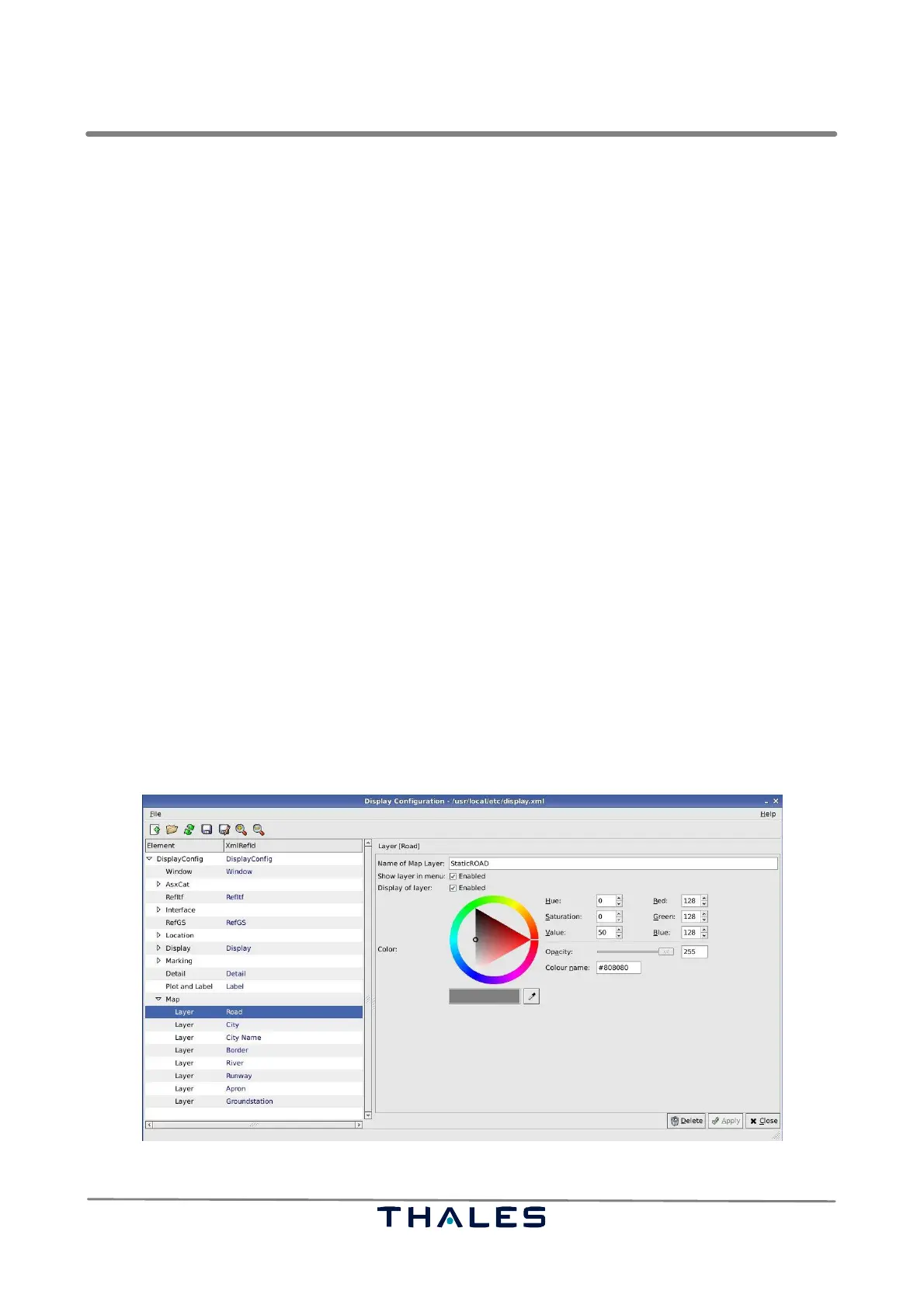
layers are equal in structure. Hence, the parameter panel of the map item Road, see Fig. 4−81, serves
exemplary to explain also the parameter panels of the other map items (layers).
S Name of Map Layer: represents the name of the layer containing corresponding map items. This
name must be exactly equal (case sensitivity!) to the corresponding layer name in the *.reg file
containing the vector map of the situation display. Thus it is possible to add, delete or change lay-
ers in a driven way.
NOTE: The Ground Station layer is the only layer being not found in the vector map. Its layer
name must not be reused for other layers and must not be changed!
S Show Roads in menu: enables the display of roads as layer on the map view. Roads are only
loaded from the map’s vector map file, if this checkbox is enabled. And only, if this parameter is
enabled, the corresponding layer is found in the menu ’Map Item’.
S Display of Roads: Only if the parameter ’Show Roads in menu’ is enabled, it is possible to show
roads on the map. In that case the corresponding entry in the menu ’Map Items’ shows a tick. If
’Display of Roads’ is disabled, the layer Roads is hidden on the map and no tick is found in front
of the corresponding map item. This parameter can be overwritten, if the configuration is saved
in the Technical Situation Display.
S Color: represents the color used to display the map layer.
Fig. 4−81 Parameters Road (example)



 To Next Page