Process
OQ/PQ Operating Instructions M1393R0 Page 19 of 60
It is recommended that you perform the wash step separately and to use channel A or B
on such systems. Alternatively, the system can be upgraded with the new valve type (P/N
162297). Refer to Service Information #036 for more details.
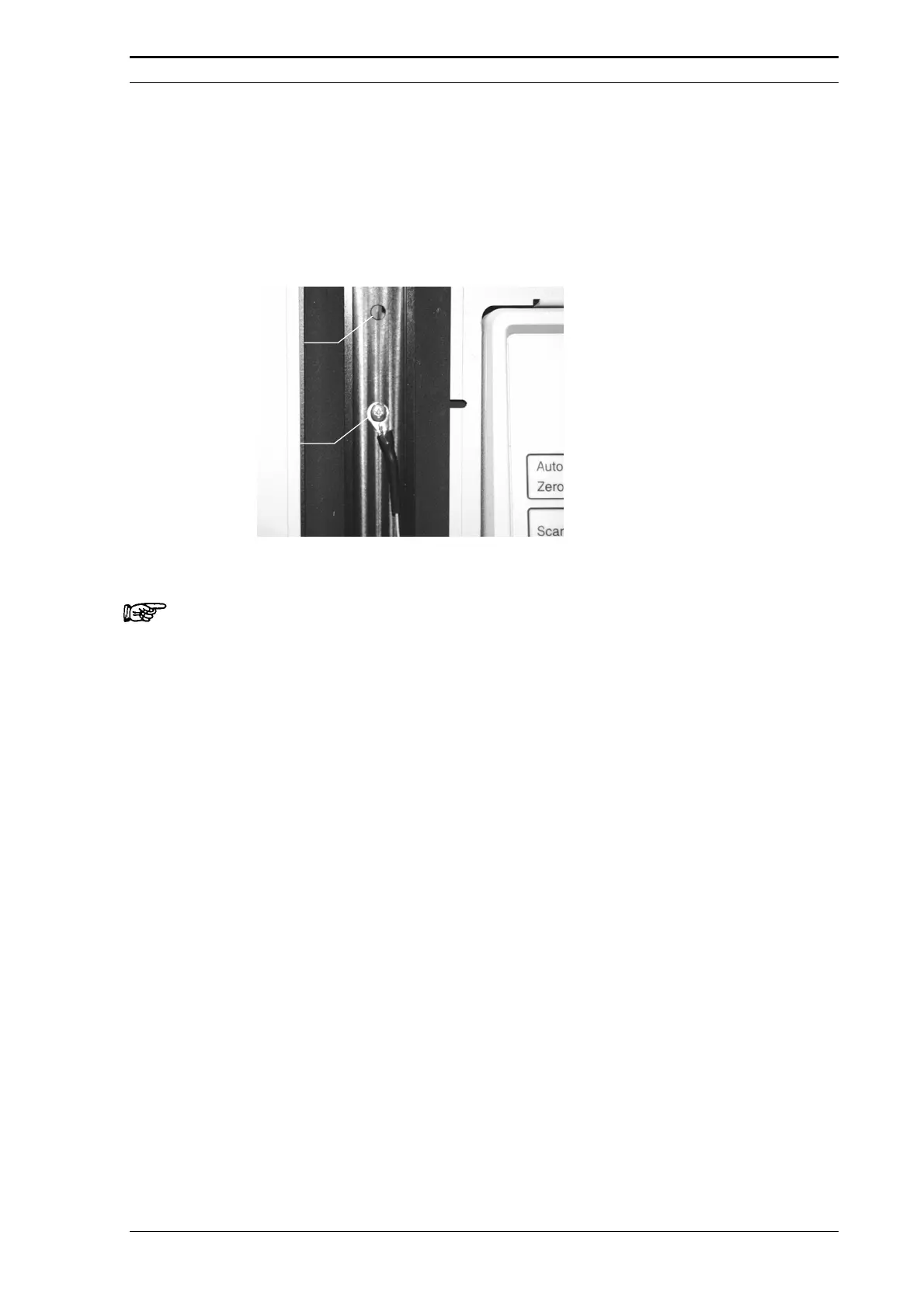
If an oven is included in the UltiMate system, install the temperature probe (P/N 163962 )
in the oven compartment using the supplied screw and washer (FIGURE 3-4) and connect
the thermometer to a free COM port of the computer.
Built-in
Temperature
Sensor
Temperature
Probe
FIGURE 3-4 Installing the Temperature Probe
Note: Make certain that the low on battery indicator on the thermometer is not lit, because
a weak battery may interrupt the sequence if serial communication is broken.





 To Next Page