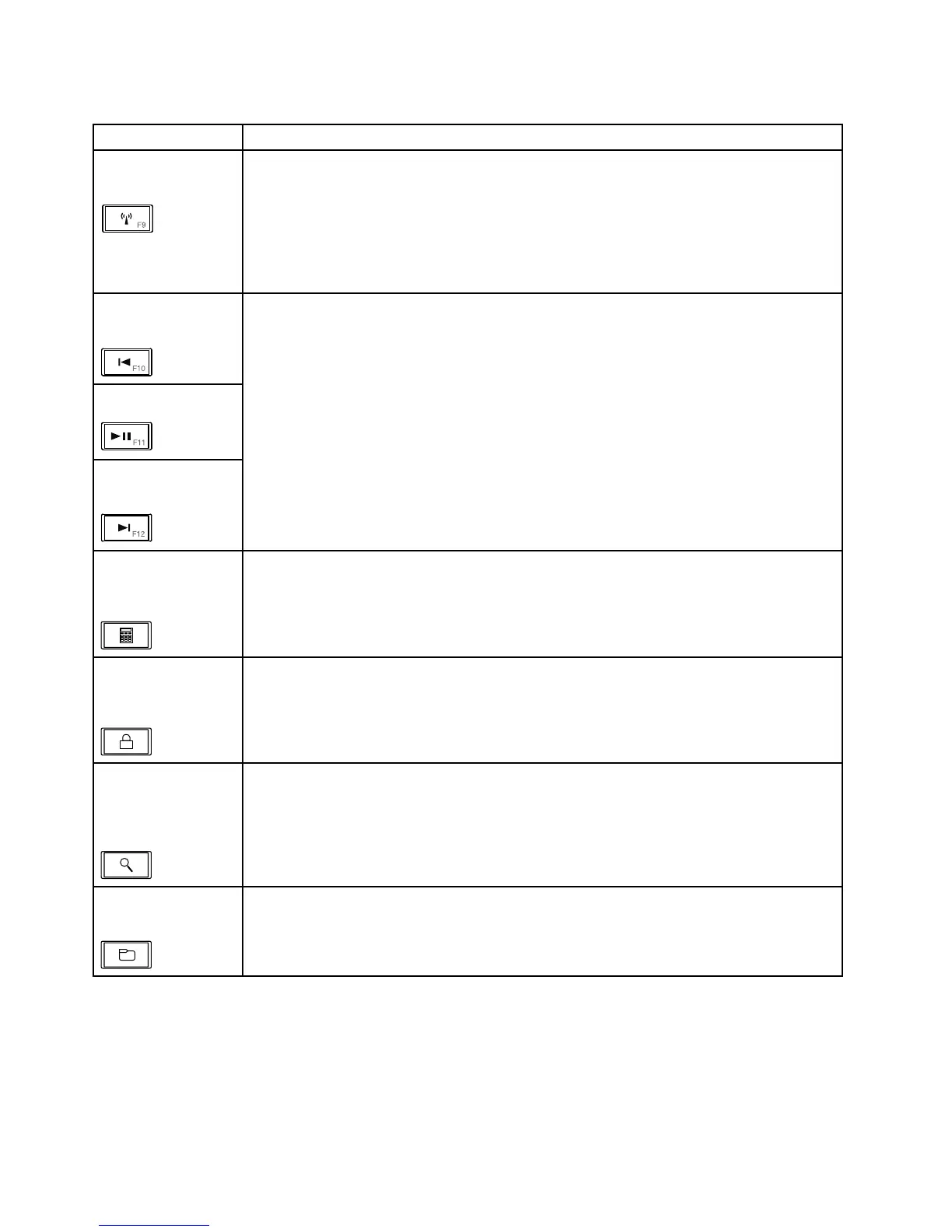
Table7.Specialkeys(continued)
Specialkey
Description
Wirelessradiocontrol
(F9)
Pressthiskeytoenableordisablethebuilt-inwirelessnetworkingfeatures.Whenyou
pressthiskey,alistofwirelessfeaturesisdisplayed.Youcanquicklychangethestateof
eachfeatureonthelist.
Notes:Ifyouwanttousethisbuttontoenableordisablethewirelessfeatures,thefollowing
devicedriversmustbeinstalledonyourcomputerbeforehand:
•PowerManagementdriver
•OnScreenDisplayUtility
•Wirelessdevicedrivers
Previoustrack/scene
(F10)
Play/Pause(F11)
Nexttrack/scene
(F12)
Usethesekeysformultimediacontrol.
Launchingthe
calculator(onsome
models)
PressthiskeytolaunchtheMicrosoftCalculatorprogram.
Lockingtheoperating
system(onsome
models)
PressthiskeytolocktheWindowsoperatingsystem.Thiskeyhasthesamefunctionas
theWindows+Lkeycombination.
Openingthe
operatingsystem
searchprogram(on
somemodels)
PressthiskeytoopentheMicrosoftSearchCompanionprogram.Thiskeyhasthesame
functionastheWindows+Fkeycombination.
OpeningComputer
(onsomemodels)
PressthiskeytoopenComputer.ThiskeyhasthesamefunctionastheWindows+Ekey
combination.
46HardwareMaintenanceManual



 To Next Page