Attention:Thesystemboardissensitiveto,andcanbedamagedby,electrostaticdischarge.Before
touchingit,establishpersonalgroundingbytouchingagroundpointwithonehandorbyusingan
electrostaticdischarge(ESD)strap.
BeforeservicingThinkPadEdgeE530andE530cmodels
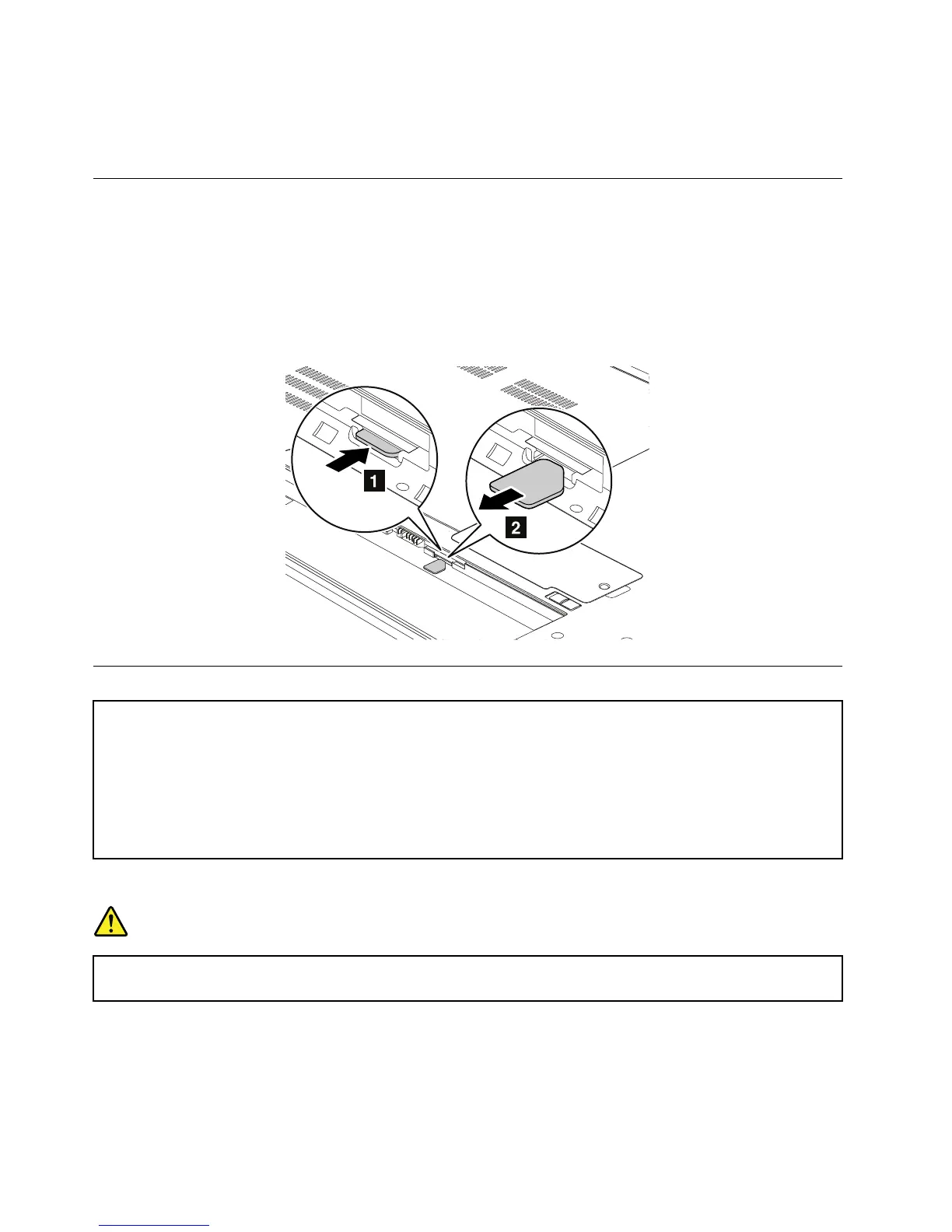
SomeThinkPadEdgeE530andE530cmodelsyouareservicingmighthavetheSIMcardthatthecustomer
hasinstalled.IfthecomputeryouareservicinghastheSIMcardinstalled,removeitbeforeyoustart
theservicing.
ToremovetheSIMcard,youneedtoremovethebatterypackrst.See“1010Batterypack”onpage62.
Afteryounishtheservicing,makesurethatyouinsertthecardbackintotheslotrmly.
1010Batterypack
Importantnoticeforreplacingabatterypack:
•TheLenovoSolutionCenterprogramprovidesanautomaticbatterydiagnostictestthatdeterminesifthebattery
packisdefective.AbatterypackFRUshouldnotbereplacedunlessthisdiagnostictestshowsthatthebatteryis
defective.Theonlyexceptiontothisisifthebatterypackisphysicallydamagedoracustomerisreporting
apossiblesafetyissue.
•IfLenovoSolutionCenterisnotinstalledinthecomputer,thecustomershoulddownloadthisprogrambeforea
non-physicallydamagedbatterypackisreplaced.Notethataphysicallydamagedbatterypackisanon-warranty
replacementpart.
Removalstepsofbatterypack
DANGER
Useonlytheauthorizedbatteryspeciedforyourcomputer.Anyotherbatterycouldigniteor
explode.
62HardwareMaintenanceManual



 To Next Page