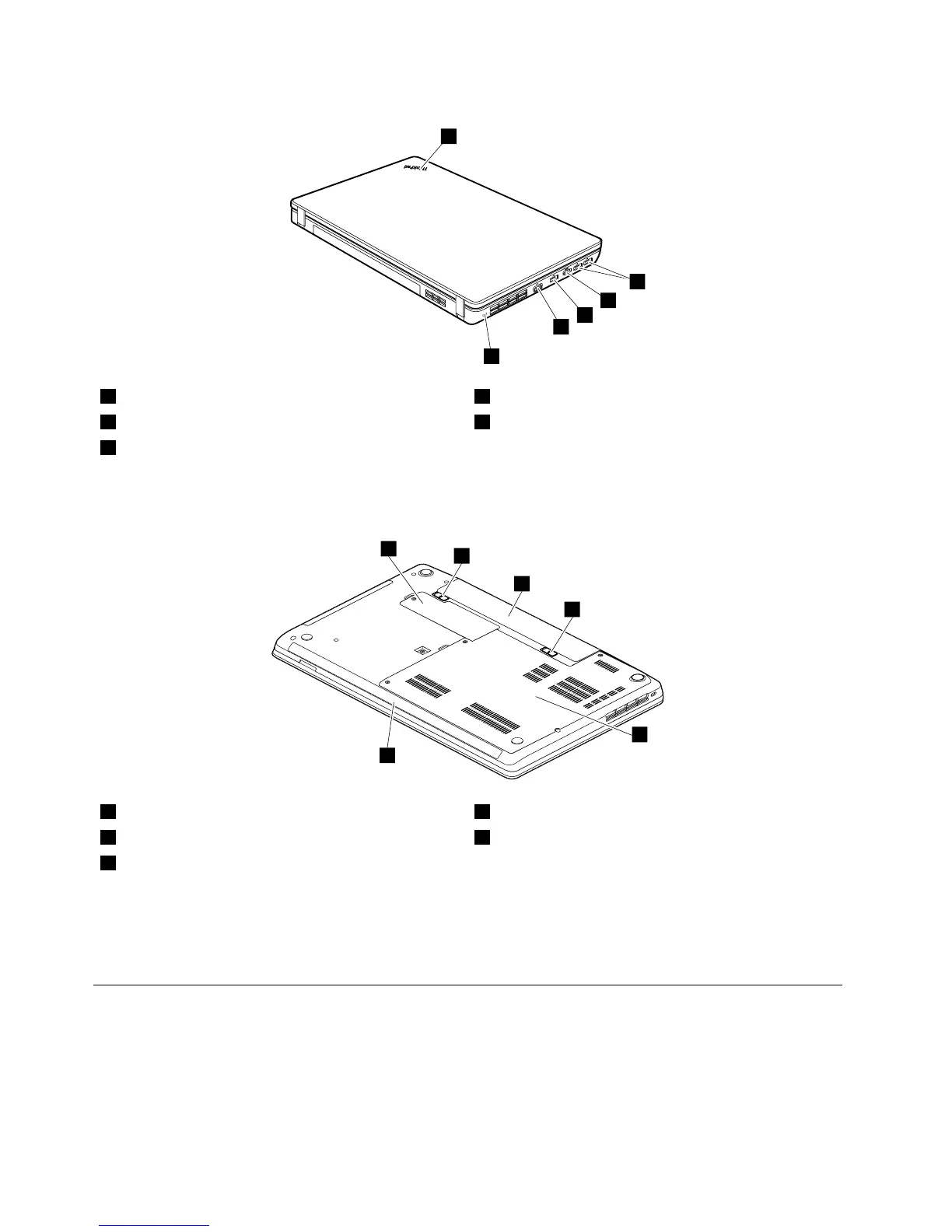
1Systemstatusindicator
1
4Externalmonitorconnector
2USBconnectors5Securitykeyhole
3HDMIport
1
:Forthedescriptionofthesystemstatusindicator,seeChapter5“Statusindicators”onpage43.
Bottomview
1Smallbottomcover
1
4Largebottomcover
2
2Batterypacklatches
5Built-instereospeakers(onsomemodels)
3Batterypack
1
:ThewirelessWANcardormSATAsolidstatedrive,andthebackupbatteryarelocatedunderneath
thesmallbottomcover.
2
:Thememorymodules,harddiskdrive,andwirelessLANcardarelocatedunderneaththebottom
slotcover.
LocatingFRUsandCRUs
Thistopicintroducesthefollowingserviceparts:
•“MajorFRUsandCRUs”onpage52
•“LCDFRUsandCRUs”onpage54
50HardwareMaintenanceManual



 To Next Page