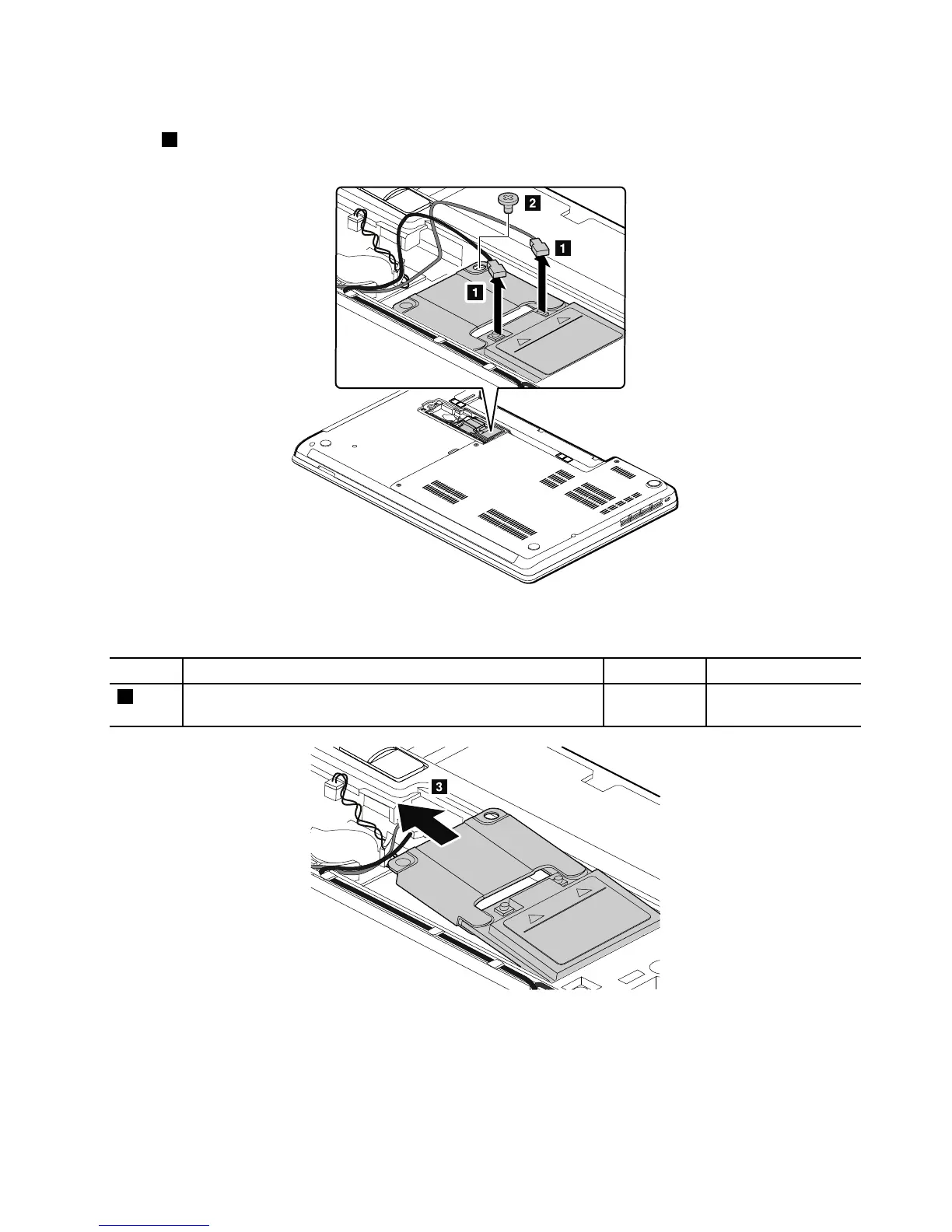
RemovalstepsofPCIExpressHalfMiniCardforwirelessWAN
Instep1,unplugtheconnectorsbyusingtheantennaRFconnectorremovaltoolorpicktheconnectors
withyourngersandgentlyunplugtheminthedirectionofthearrows.
Wheninstalling:PlugtheredcableintothejackmarkedMAIN,andthebluecableintothejackmarked
AUXonthecard.
StepScrew(quantity)Color
Torque
2
M2×3mm,wafer-head,nylon-coated(1)
Black0.181Nm
(1.85kgf-cm)
Chapter9.RemovingorreplacingaFRU71



 To Next Page