•“1100Thermalfan”onpage74
Removalstepsofthermalpipes
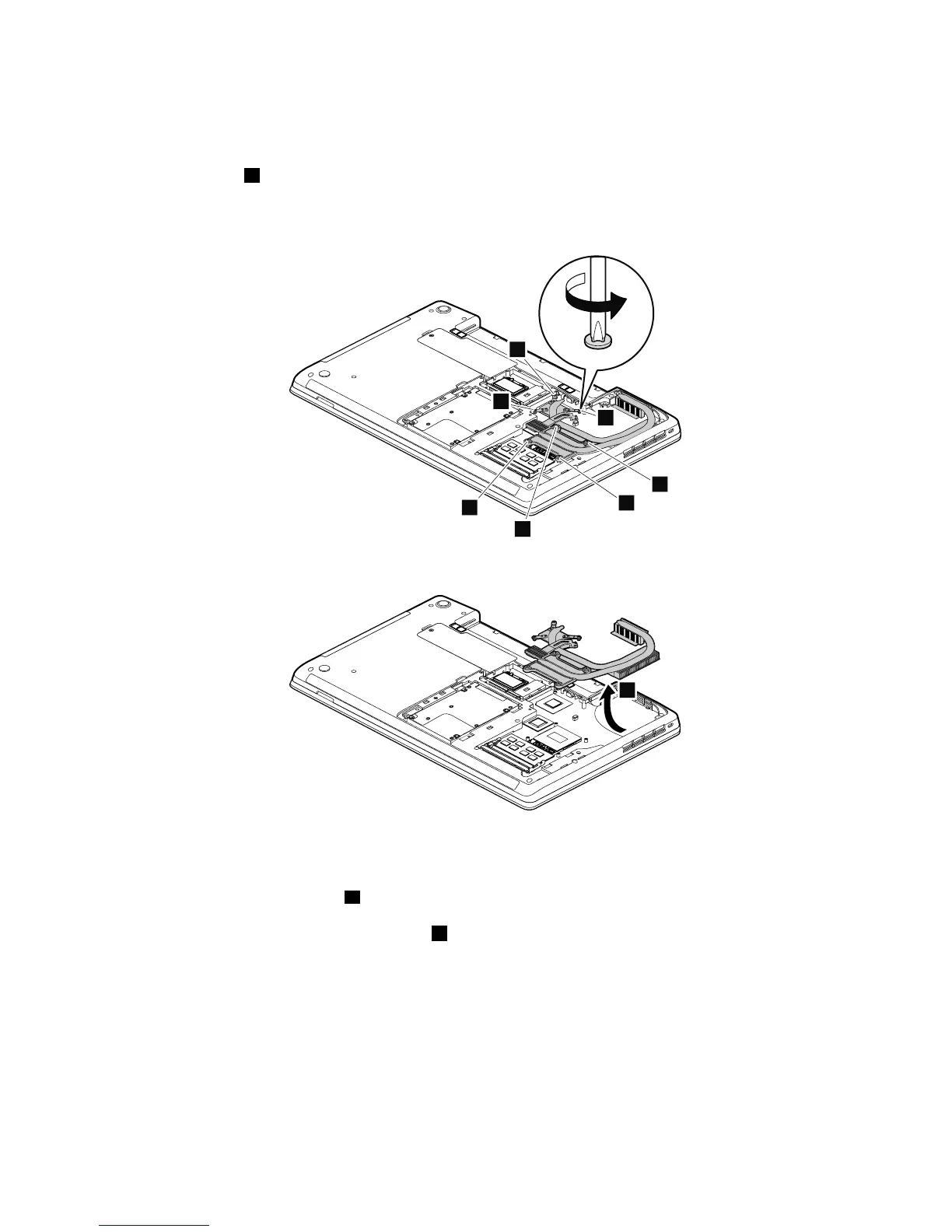
Loosenthescrews1inascendingalphabeticorderasillustrated.Whenattachingthethermalpipes,secure
thescrewsinreverseorder.
Note:Differentmodelsmighthavedifferentnumbersofscrews.
Note:Yourmodelmightlookslightlydifferentfromtheillustrationabove.
Wheninstalling:Beforeyouattachthethermalpipestothecomputer,applythermalgrease,atanamount
of0.2grams,onthepartmarkedaasshowninthefollowingillustrations.Eithertoomuchortooless
applicationofgreasecancauseathermalproblemduetoimperfectcontactwithacomponent.Youneedto
peelthethinlmofffromtherubbersmarkedb.
Formodelswithadiscretethermalpipes
Chapter9.RemovingorreplacingaFRU75



 To Next Page