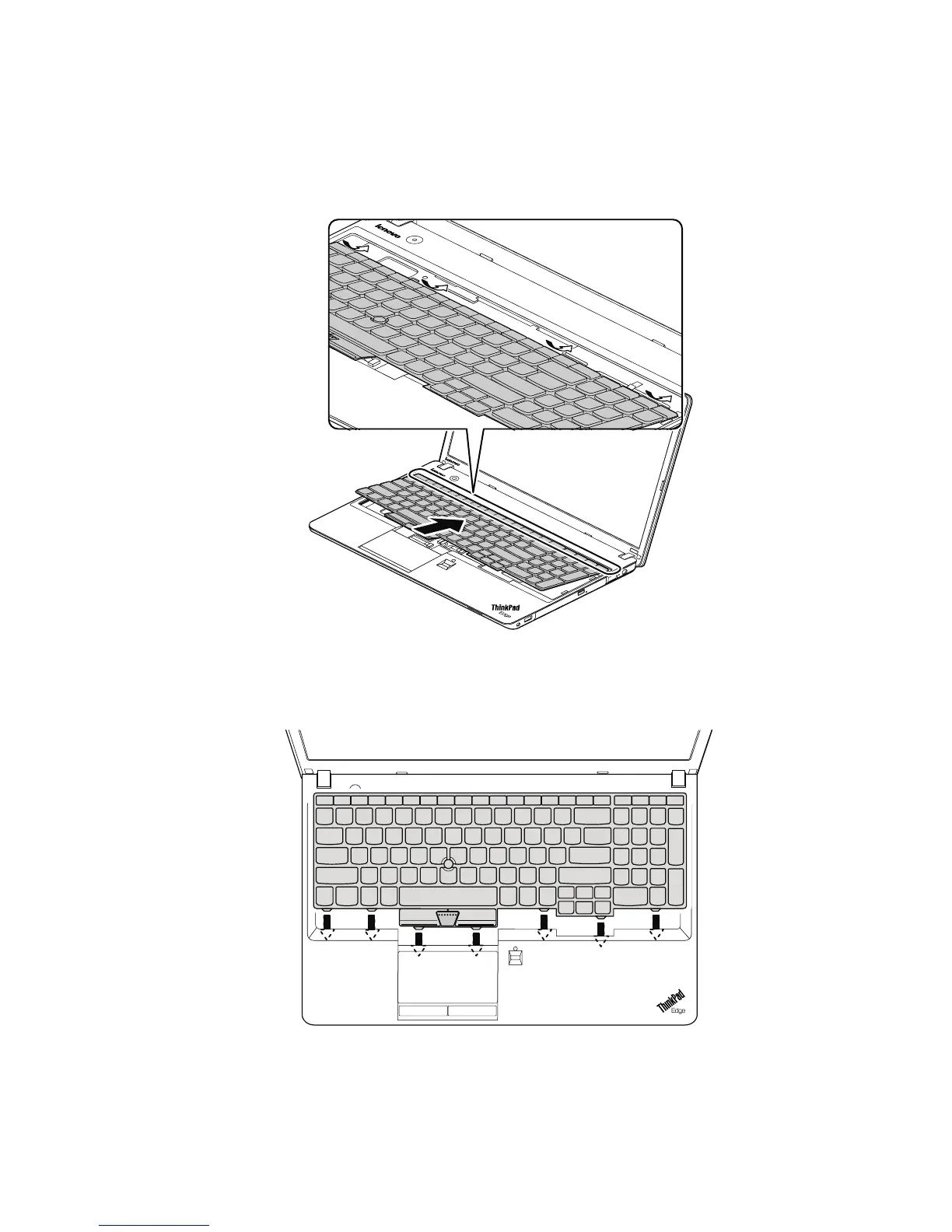
Installationstepsofkeyboard
Toinstallthekeyboard,dothefollowing:
1.Attachtheconnectors.
2.Attachthekeyboardandensurethatthekeyboardedgesareundertheframe.
Note:Yourcomputerkeyboardmightlookdifferentfromtheillustrationabove.
3.Tomakesurethatthefrontsideofthekeyboardishousedrmly,gentlypressthekeyswithyourthumbs
andslidethekeyboardtowardyouuntilthekeyboardisinplace.
Note:Yourcomputerkeyboardmightlookdifferentfromtheillustrationabove.
4.Securethekeyboardbytighteningthescrewsfromthebottomsideofthecomputer.
Chapter9.RemovingorreplacingaFRU79



 To Next Page