Beforeservicingthecomputer
Carefullyreadthistopicbeforeservicingthecomputer.
Disablingthebuilt-inbattery
BeforereplacinganyFRU,ensurethatyouhavedisabledthebuilt-inbatterybydoingthefollowing:
1.T urnoffyourcomputeranddisconnecttheacpoweradapterandallcablesfromthecomputer.
2.T urnonyourcomputer.PressF1toenterThinkPadSetupwhentheThinkPadlogoisdisplayed.
3.SelectCong➙Power.ThePowersubmenuisdisplayed.
4.SelectDisablebuilt-inbattery.
5.ClickYesintheSetupWarningwindow.Thenthecomputerwillbeturnedoffautomatically.Wait
threetoveminutestoletthecomputercool.
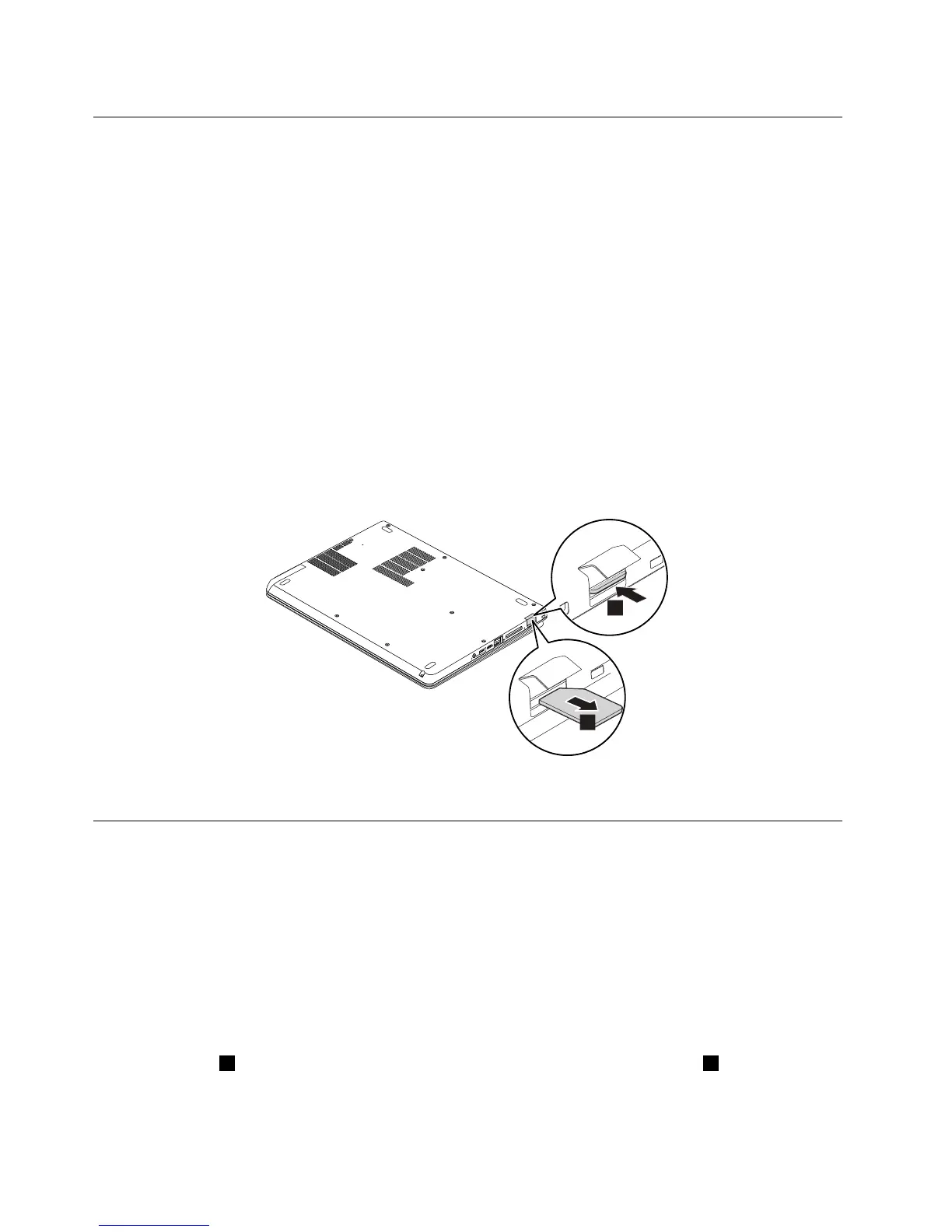
RemovingtheSIMcard
IfthecomputeryouareservicinghastheSIMcardinstalled,removeitbeforeservicing.
ToremovetheSIMcard,disablethebuilt-inbatteryrst.See“Disablingthebuilt-inbattery”onpage60.
Afteryounishtheservicing,ensurethatyouinsertthecardbackintotheslotrmly.
1010Harddiskdriveorsolid-statedrive
Attention:
•Donotdropthedriveorapplyanyphysicalshocktoit.Thedriveissensitivetophysicalshock.Improper
handlingcancausedamageandpermanentlossofdata.
•Beforeremovingthedrive,havetheusermakeabackupcopyofalltheinformationonitifpossible.
•Neverremovethedrivewhilethecomputerisoperatingorinsuspendmode.
Removalstepsofharddiskdriveorsolid-statedrive
Loosenthescrew1,andthenremovetheharddiskdriveorsolid-statedriveslotcover2.
60HardwareMaintenanceManual



 To Next Page