Importantnoticesforreplacingabatterypack:
•ThissystemsupportsonlybatteriesspeciallydesignedforthisspecicsystemandmanufacturedbyLenovooran
authorizedbuilder.Thesystemdoesnotsupportunauthorizedbatteriesorbatteriesdesignedforothersystems.If
anunauthorizedbatteryorabatterydesignedforanothersystemisinstalled,thesystemwillnotcharge.
Attention:Lenovohasnoresponsibilityfortheperformanceorsafetyofunauthorizedbatteries,andprovidesno
warrantiesforfailuresordamagearisingoutoftheiruse.
•TheLenovoSolutionCenterprogramprovidesanautomaticbatterydiagnostictestthatdeterminesifthebattery
packisdefective.AbatterypackFRUshouldnotbereplacedunlessthisdiagnostictestshowsthatthebatteryis
defective.Theonlyexceptiontothisisifthebatterypackisphysicallydamagedoracustomerisreporting
apossiblesafetyissue.
•IftheLenovoSolutionCenterprogramisnotinstalledinthecomputer,thecustomershoulddownloadthisprogram
beforeanon-physicallydamagedbatterypackisreplaced.Notethataphysicallydamagedbatterypackisanot
coveredbythewarranty.
Note:Beforeremovingthebattery,insertastraightenedpaperclipintotheemergencyresetholetoresetthe
computer.
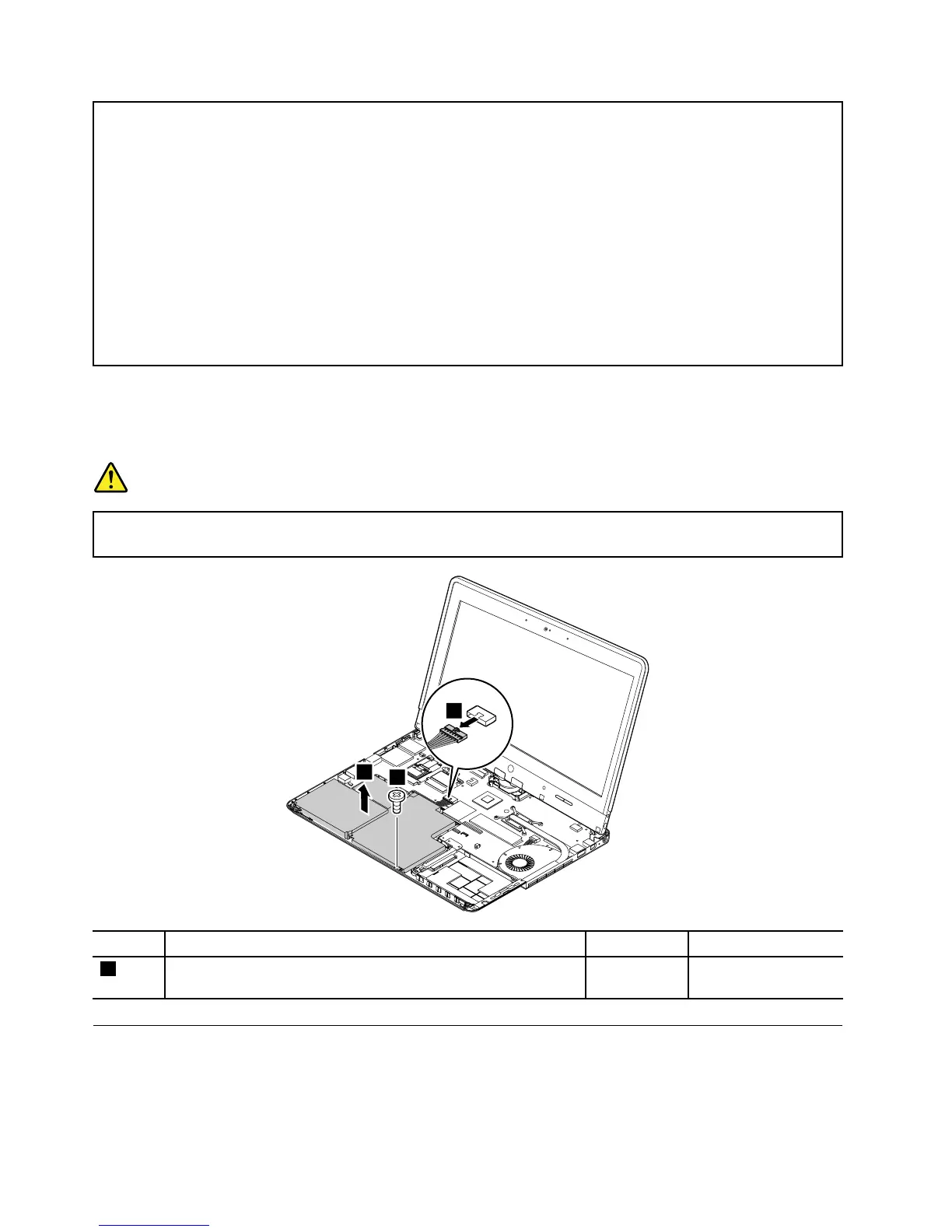
Removalstepsofbatterypack
DANGER
Useonlytheauthorizedbatteryspeciedforyourcomputer.Anyotherbatterycouldigniteor
explode.
StepScrew(quantity)Color
Torque
2
M2×3mm,wafer-head,nylon-coated(1)Silver
0.181Nm
(1.85kgf-cm)
1070Proximitysensors
Foraccess,removetheseFRUsinorder:
•“1010Harddiskdriveorsolid-statedrive”onpage60
•“1020Keyboard”onpage62
72HardwareMaintenanceManual



 To Next Page