Product overview
10
1.2 Part names
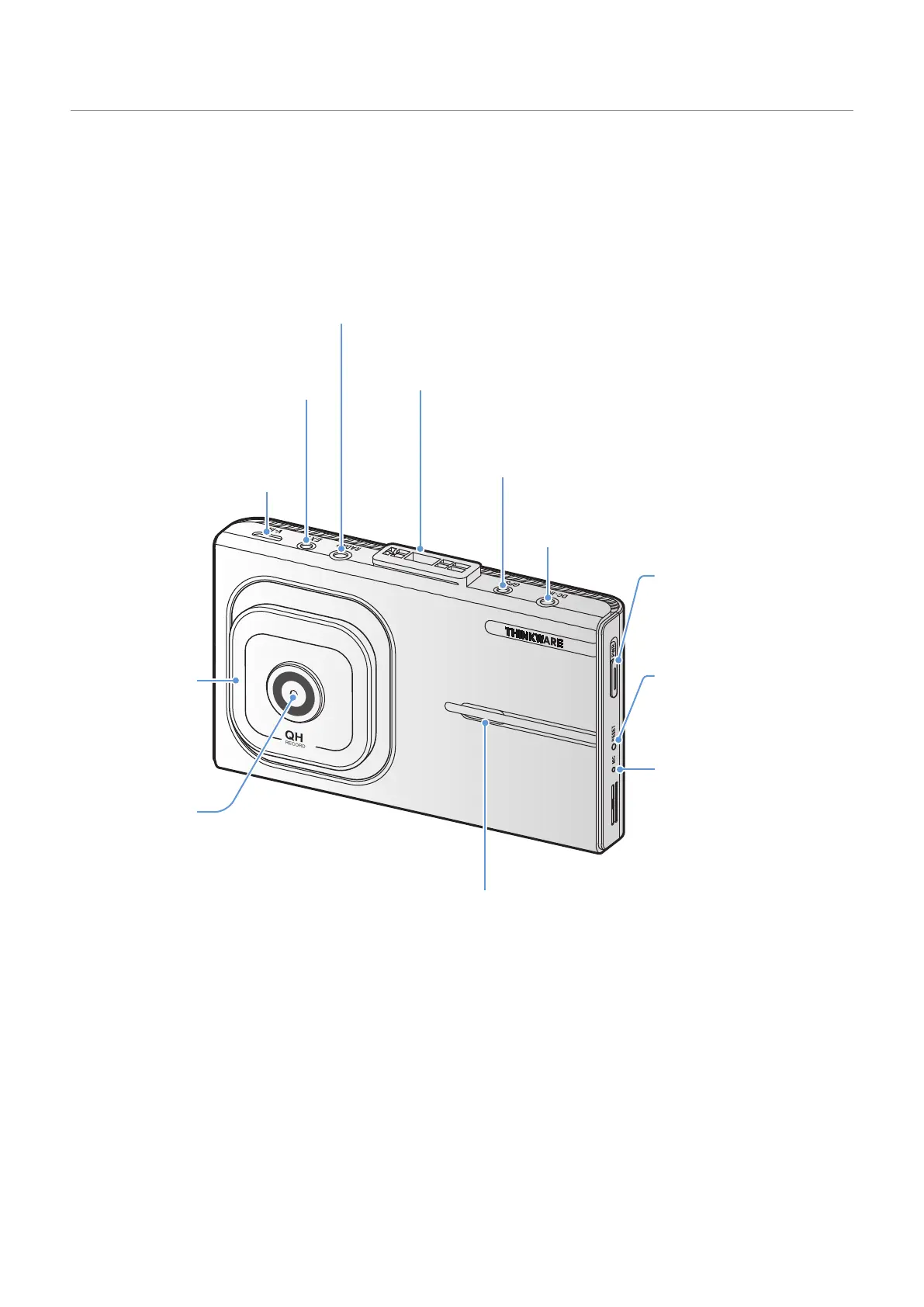
1.2.1 Front camera (main unit) - front view
QHD
RECORDER
Fixing bracket connector
Used to connect the fixing bracket.
GPS connector
Used to connect the external GPS module (optional)
for additional features.
RADAR port
Used to connect the RADAR module (optional).
V-IN input port
Used to connect the rear camera.
EXT
. (external battery) input port
Used to connect the external battery
pack (optional).
DC-IN power connector
Used to connect the power cable.
Speaker
Outputs the voice guide and buzzer
sounds to indicate the product’
s status.
Security LED
Indicates that the
video is being
recorded.
Front camera lens
Records the front
view.
Power button
•
Press and hold to turn off
the product.
• Press to turn on the product.
Microphone
Used for voice recording.
Reset button
Insert the tip of a sharp
object to reset the product
when an error occurs.



 To Next Page