Using Advanced Driver Assistance Systems (ADAS)
34
4.3 The lane departure warning system (LDWS)
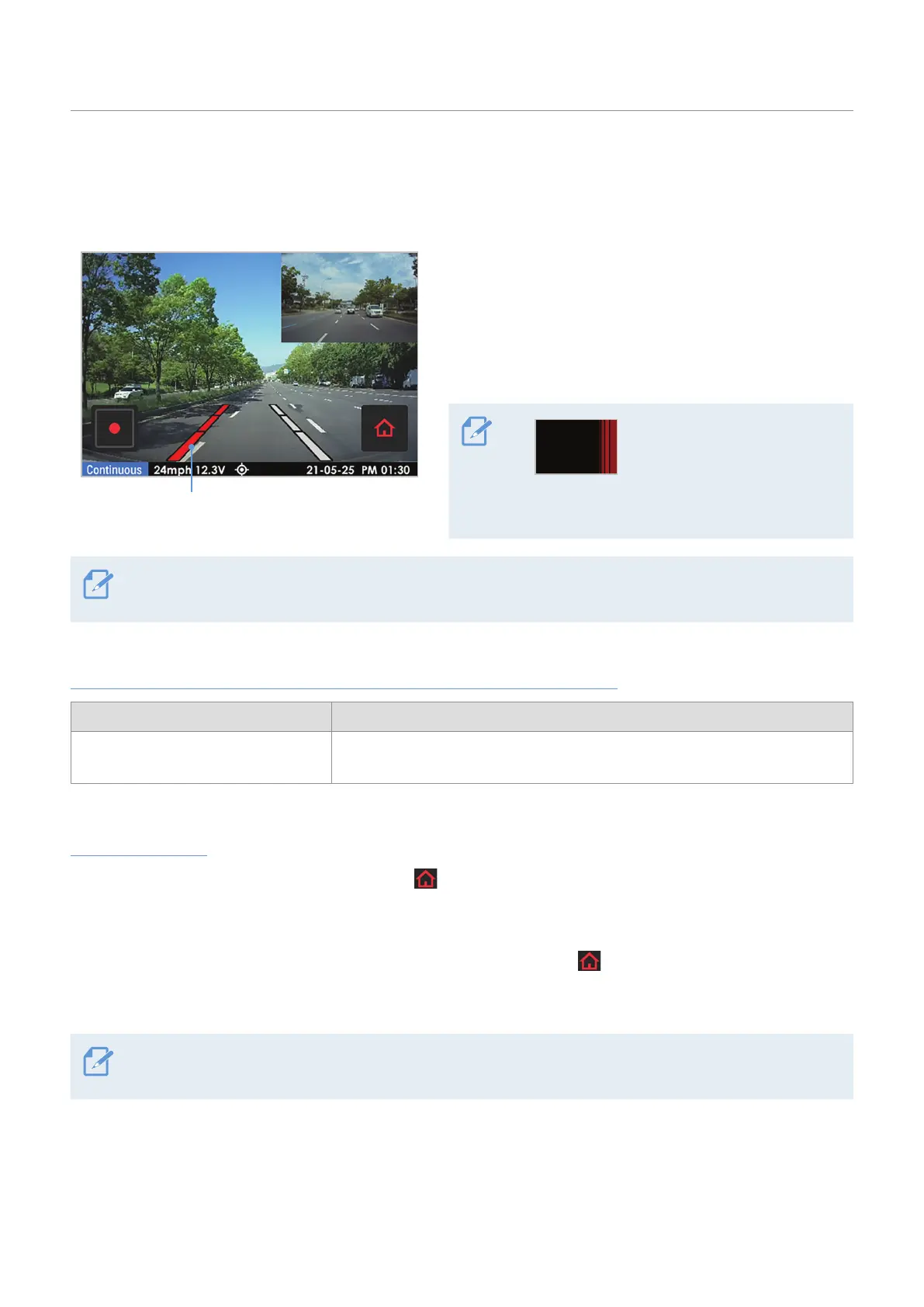
When the vehicle departs its lane, the LDWS detects the lane departure via the real-time video image and
warns the driver.
The departed lane is displayed in red.
The lane guide lines are displayed on the screen when
you activate the LDWS.
The voice guide warns you and a left or right lane
guide line will display in red when the vehicle enters
either lane.
Right lane departure
warning (example)
For your safety, the lane
departure warning will
be displayed on the LCD
even when the LCD is
turned off.
The on-screen lane guide lines cannot be aligned. The guide lines may not perfectly match the actual lanes
due to the product installation angle, position, or winding roads.
Lane departure warning methods depending on optional accessories
Optional accessory Warning method
External GPS module
An alarm will sound when the turn signals are not turned on and the vehicle
leaves its lane at a GPS speed over 50 km/h.
Setting the LDWS
• To deactivate the LDWS, tap the Home menu ( ) button on the Live view screen
>
Settings
>
Road Safety
Settings, and then set LDWS (Lane Departure Warning) under ADAS Features to OFF. To set the warning
sensitivity, select a sensitivity option (Low / Mid / High).
• To change the lane departure detection speed, tap the Home menu (
) button on the Live view screen
>
Settings
>
Road Safety Settings, and then select a LDWS speed among 50km/60km/70km/80km under
ADAS Features.
If the vehicle is driving on a snow-covered road, in the rain at night, or on a damaged road, the LDWS may
not work as it does under normal conditions.



 To Next Page