Using recording features
29
3.9.2 Home screen
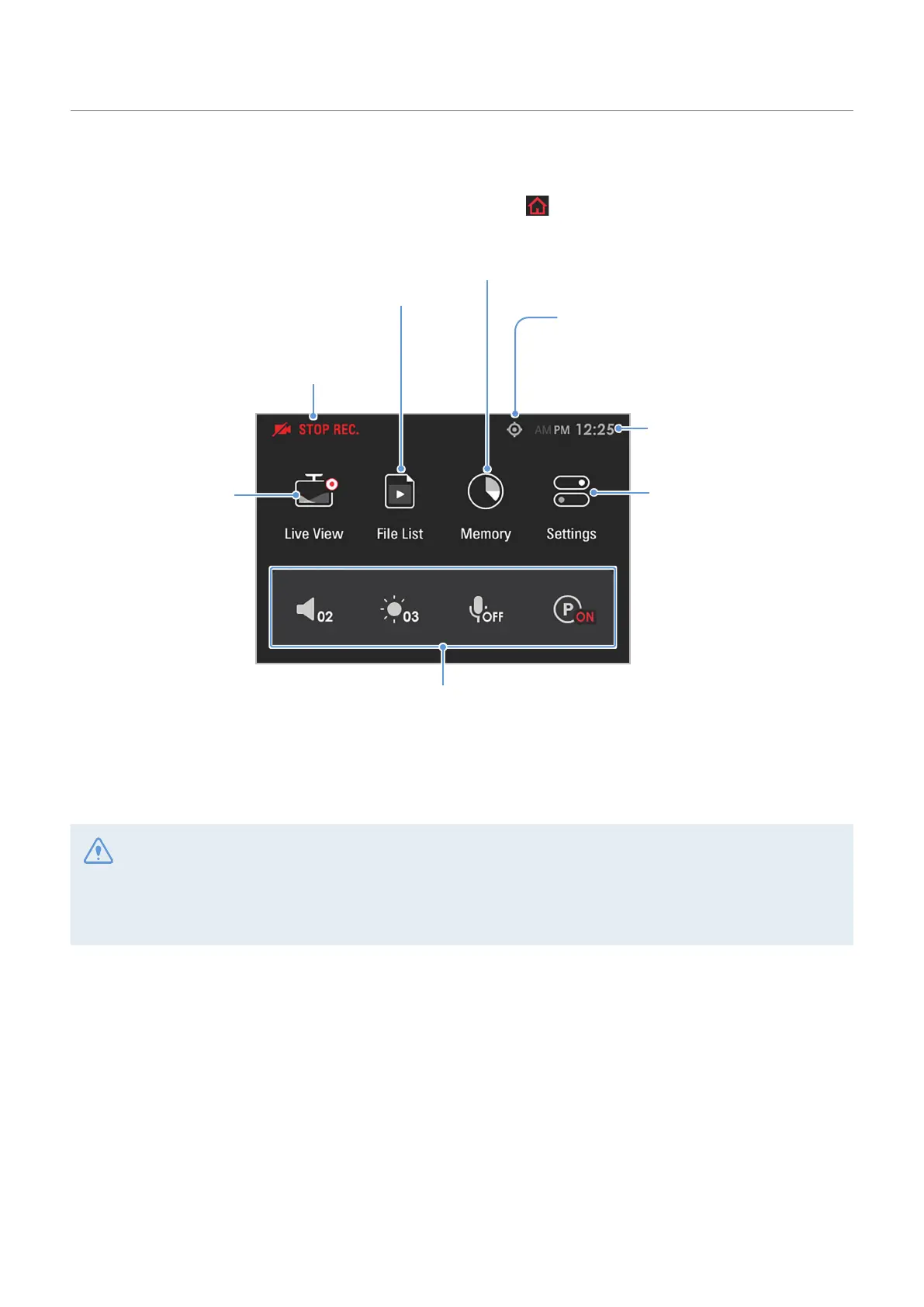
You can move to the Home screen by tapping the Home menu ( ) button on the Live view screen.
The memory card management feature is provided.
Move to the Live view
screen.
Displays the GPS icon when the external
GPS module* is installed.
View and play the recorded videos.
(Refer to "3.10 Playing the videos" on page 30.)
Configure the system
and features.
(Refer to "5. Settings"
on page 37.)
Y
ou can add up to 4 quick menus.
Tap Settings
>
System Settings
>
Quick Menu Settings, and add the desired items.
Displays the current recording status.
Displays the current time.
*optional
• Stop your vehicle in a safe location before operating the product.
• While operating the home screen, the product will stop recording.
• Play videos on the product or a computer only. If you play videos by inserting the memory card in devices
such as a smartphone or a tablet PC, the video files may be lost.



 To Next Page