Using Advanced Driver Assistance Systems (ADAS)
35
4.4 The forward collision warning system (FCWS)
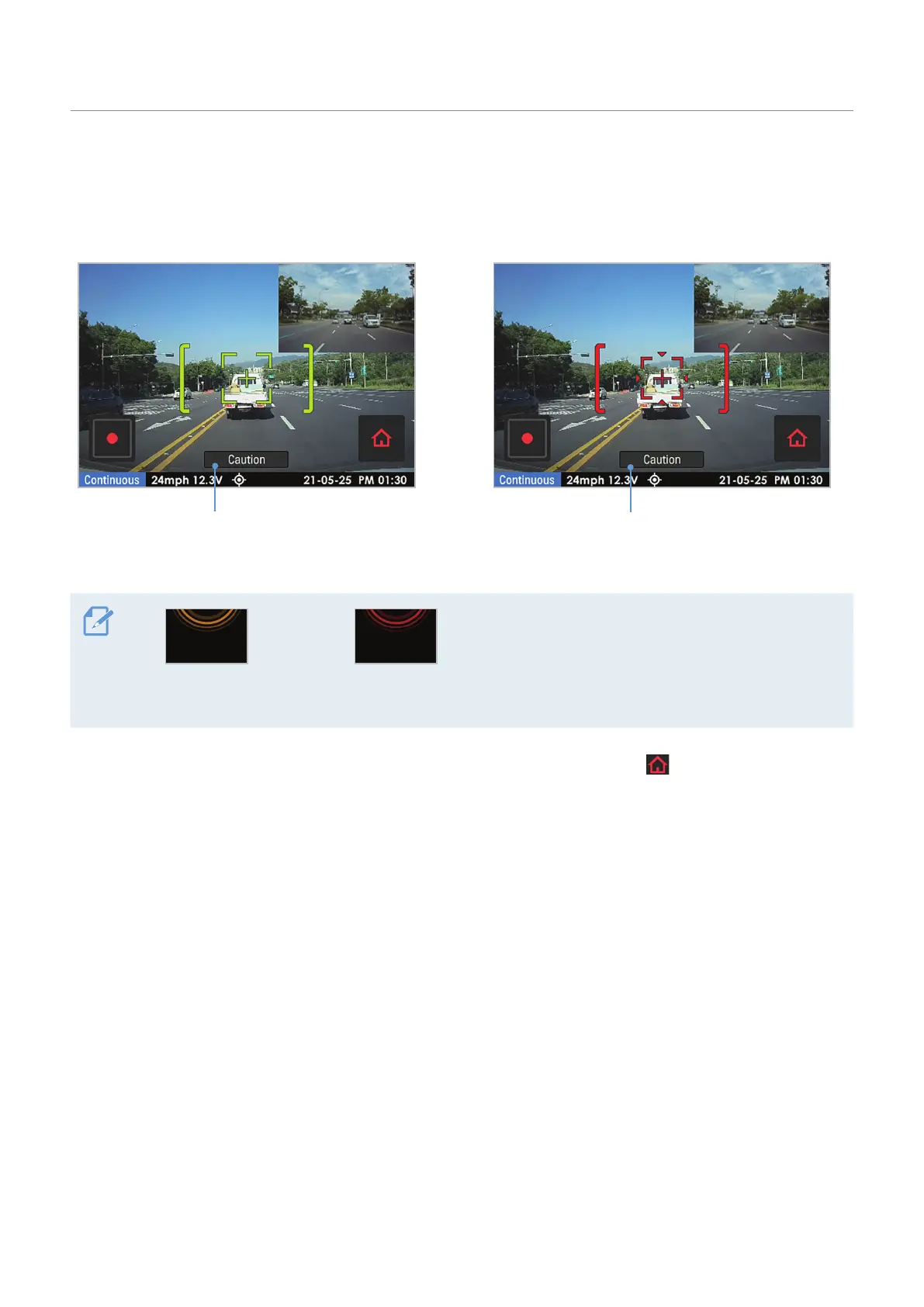
When the vehicle drives at 40 km/h or above, the FCWS will detect forward collision danger via the real-
time video image and warn the driver.
Preliminary forward collision warning: Displayed when
a preliminary collision hazard is detected.
Secondary forward collision warning: Displayed
when the distance to the vehicle ahead decreases
after a preliminary collision warning.
Preliminary forward
collision warning
Secondary forward
collision warning
For your safety driving, the forward collision
warning will be displayed on the LCD even when
the LCD is turned off.
To deactivate the FCWS or change the warning sensitivity, tap the Home menu ( ) button on the Live view
screen
>
Settings
>
Road Safety Settings, and then tap the button next to FCWS (Forward Collision Warning)
under ADAS Features to switch the sensitivity option (Low/Mid/High) to set the detection sensitivity, or OFF
to deactivate the feature.



 To Next Page