Using recording features
27
3.7 Using the Ultra night vision feature
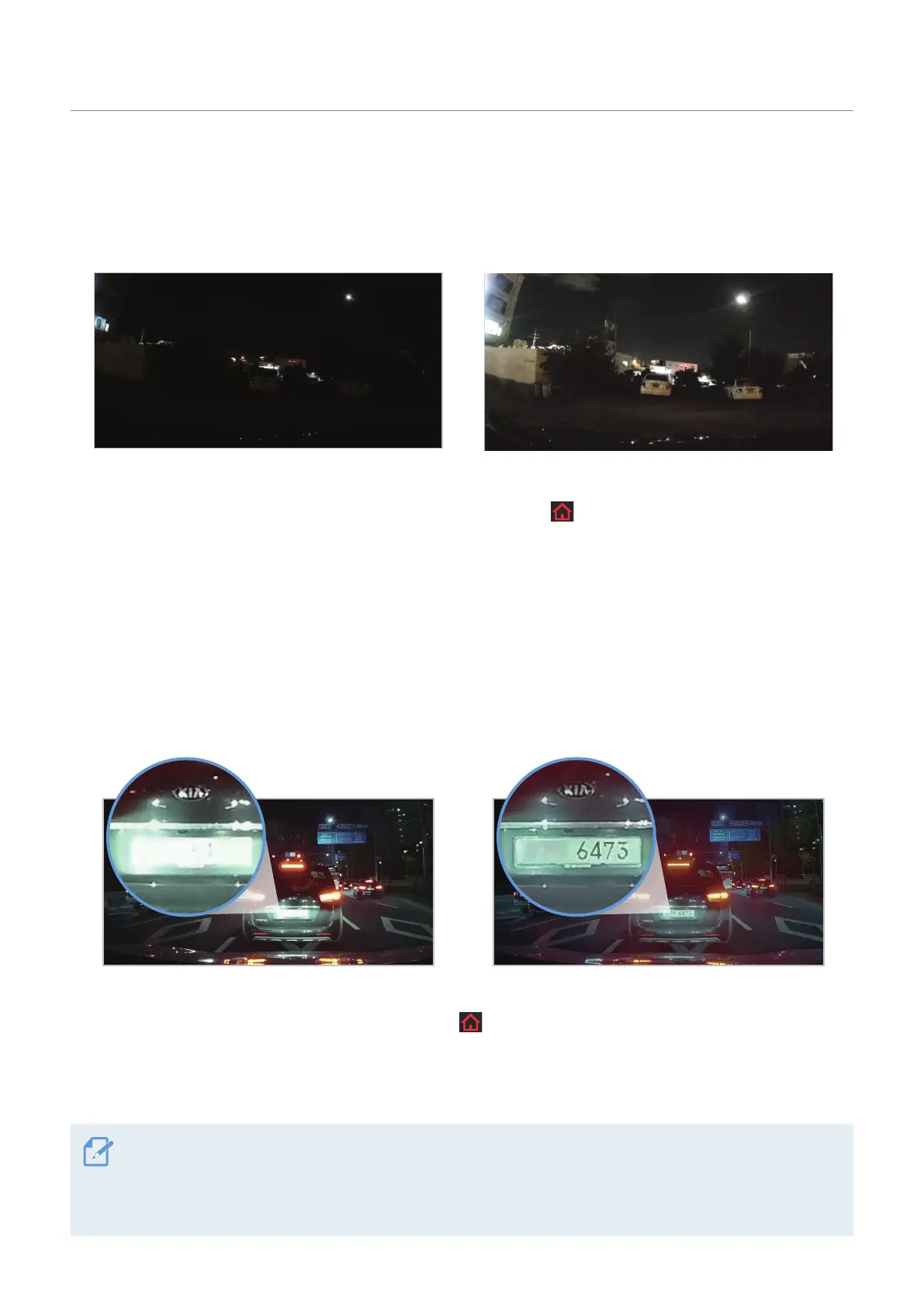
With the Ultra night vision feature, you can record videos that are brighter than videos recorded without
this feature. The Ultra night vision feature is enabled by image signal processing (ISP) to improve the
definition of videos recorded while driving or parking at night.
<When Ultra night vision is deactivated> <When Ultra night vision is activated>
1
To activate the Ultra night vision feature, tap the Home menu ( ) button on the Live view screen
>
Settings
>
Rec. Settings, and then tap the setting button next to Ultra Night Vision.
2
Select a check box of Continuous Mode or Parking Mode (or both) to apply the Ultra night vision feature.
3.8 High Dynamic Range (HDR) feature
With the HDR feature, you can record videos in a higher definition. This feature provides clearer video,
which is similar to your actual vision, to identify videos recorded while driving or parking better by
expanding the range of the contrast ratio.
<When the HDR feature is deactivated> <When the HDR feature is activated>
1
To activate the HDR feature, tap the Home menu ( ) button on the Live view screen
>
Settings
>
Camera Settings.
2
Switch the button to ON or OFF to activate or deactivate HDR.
• High Dynamic Range (HDR) is a feature that makes videos more natural and similar to your actual vision by
expanding the expressable range of light to make light areas lighter and dark areas darker.
• Contrast ratio is ratio of the brightest spot to the darkest spot on the display and is one of important
specifications for a display, The higher contrast ratio allows to identify colors easily and clearly.



 To Next Page