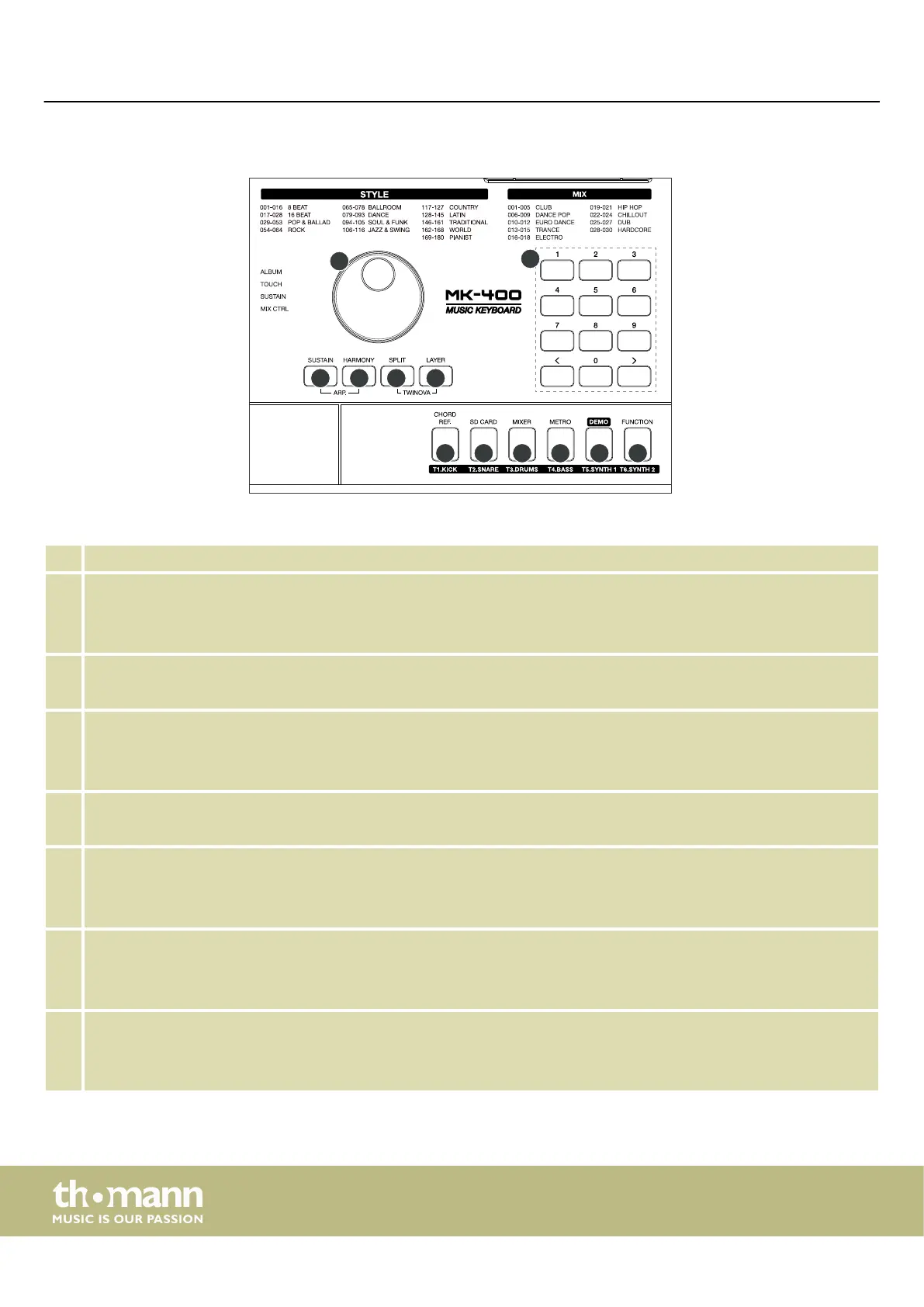
28 Rotary control for setting and selecting values and data sets
29 [SUSTAIN]
Button to activate / deactivate the Sustain function
Press [SUSTAIN] and [HARMONY] simultaneously to activate / deactivate Arpeggio eects.
30 [HARMONY]
Button to activate / deactivate the harmony mode
31 [SPLIT]
Button to activate / deactivate the split mode
Press [SPLIT] and [LAYER] simultaneously to activate / deactivate the TWINOVA function.
32 [LAYER]
Button to activate / deactivate the Layer mode.
33 [CHORD REF.]
Button to activate / deactivate the Chord reference function
MIX mode: Press the button to mute or unmute the ‘T1.KICK’ kick track during playback.
34 [SD CARD]
Button to call up the SD card menu
MIX mode: Press the button to mute or unmute the ‘T2.SNARE’ snare track during playback.
35 [MIXER]
Button to call up the mixer menu
MIX mode: Press the button to mute or unmute the ‘T3.DRUMS’ drum track during playback.
Right control panel.
Connections and operating elements
keyboard
14



 To Next Page