7.10 TWINOVA
In TWINOVA mode, the keyboard is divided into two areas with the same sound and
the same pitch to enable 4-handed playing, for example in class. The default split
point lies between piano keys [E4] and [F4].
You can change the preset split point in the function menu (see
Ä
Chapter 7.24 ‘Func‐
tion menu’ on page 49).
1. Enabling TWINOVA
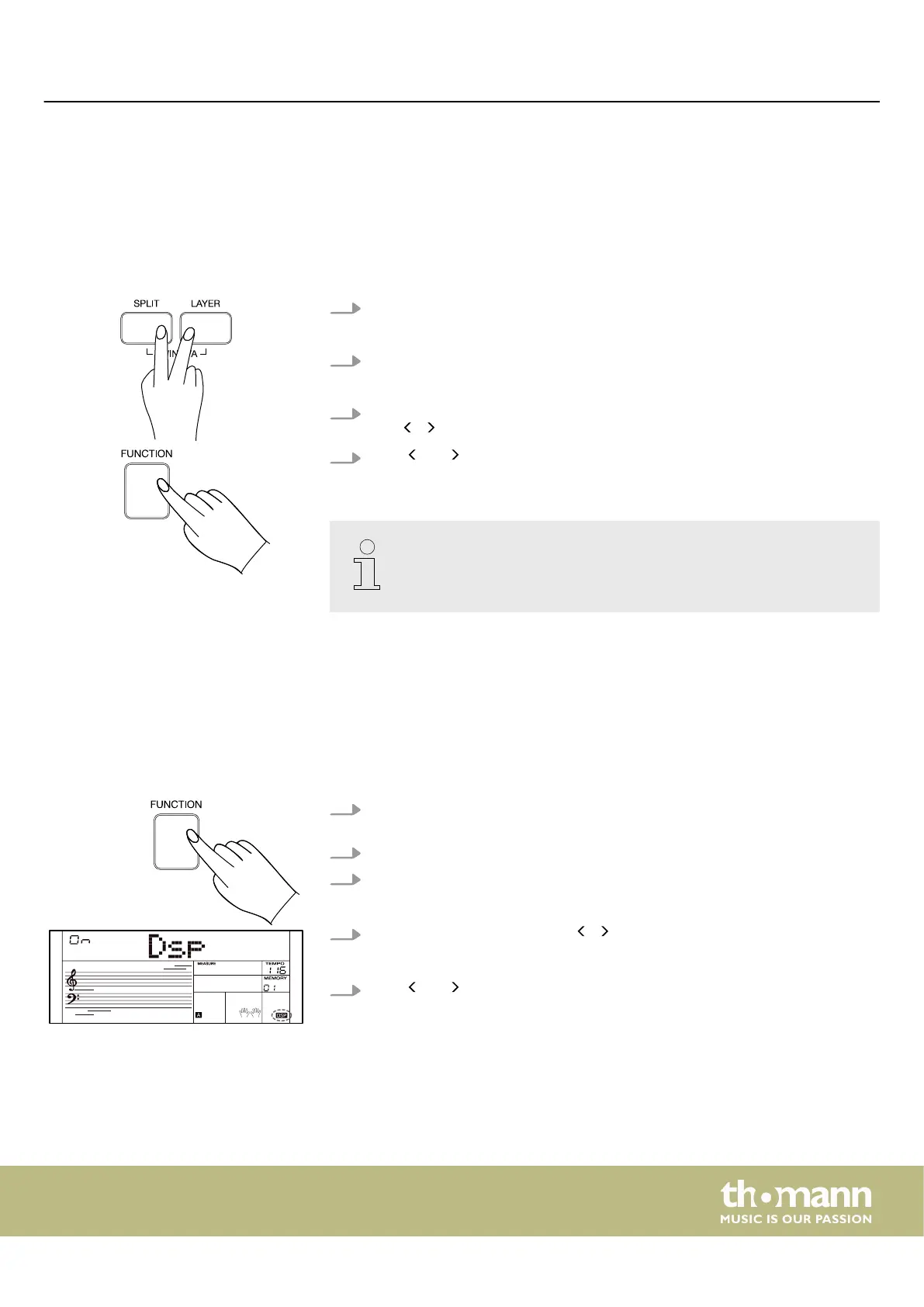
Press [SPLIT] and [LAYER] simultaneously to enable the TWINOVA mode.
2. Setting Octave
Press [FUNCTION] to enter the function menu.
3. Select the ‘TwinOct’ menu with the rotary control and set the desired octave
with / on the numeric keypad.
4.
Press and simultaneously on the numeric keypad to reset the current set‐
tings to the default setting.
Layer / split mode and TWINOVA mode cannot be used at the same time.
7.11 DSP eects
With the built-in digital eects, you can give your music more expression and depth
in many ways, e.g. by using reverb eects or adding harmonies.
You can switch the digital eects on or o in the function menu (see
Ä
Chapter 7.24
‘Function menu’ on page 49).
1. The DSP eects are activated by default. The ‘DSP’ indicator lights up on the
display.
2. Press [FUNCTION] to enter the function menu.
3. Use the rotary control to select the ‘DSP’ menu.
ð
The display temporarily shows ‘DSP ON’ .
4.
Activate or deactivate DSP with / on the numeric keypad.
ð
If the DSP is deactivated, the ‘DSP’
indicator turns o in the display.
5.
Press and simultaneously on the numeric keypad to reset the current set‐
tings to the default setting.
Operating
MK-400
25



 To Next Page