7.14.2 Starting Auto Accompaniment (all tracks)
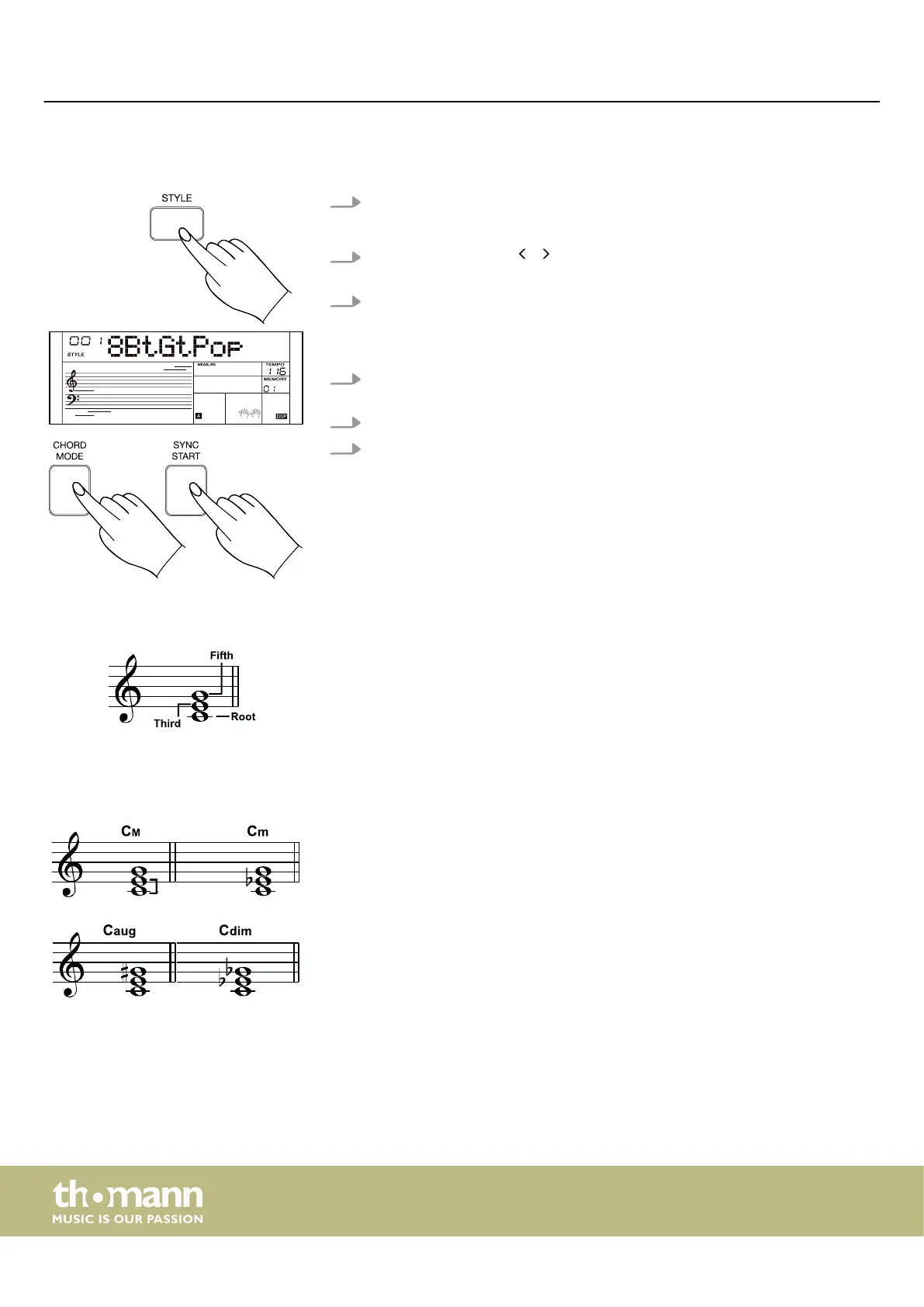
1. Press [STYLE] to activate the Style mode.
ð
The display shows the currently selected style.
2.
Use the rotary control, / of the numeric keypad or the numeric buttons to
select the desired style.
3. Press [CHORD MODE] to turn the chord detection mode on. The area dened
for the left hand becomes the Auto Accompaniment area and chords played
here are automatically recognized and used as a base for the Auto Accompani‐
ment with the selected Style.
4. Press [SYNC START] to start the auto accompaniment as soon as you nger a
chord with your left hand.
5. Try playing other chords with your left hand.
6. Press [SYNC START] again to stop the Auto Accompaniment.
7.14.3 Chord structure
When three or more notes are played at the same time, it is called a chord. That is the
basis of a harmony. Each note of a chord determines which chord it is.
In music, the basic chords are mostly triads. The chord is determined by the notes it
contains. The lowest note is the root. This is followed by the third and the fth.
The root denotes the chord (e.g. C major) and is the most important tone. The name
of the chord (e.g. minor or major) depends on the interval of each note above the
root.
If it is a perfect fth and the chord has a minor third, it is called a minor chord. If it is a
major third, it is called a major chord.
If it is a major third and an augmented fth, we speak of an augmented chord (often
also referred to as "aug"). If it is a minor third and a minor fth, we speak of an dimin‐
ished chord (often also referred to as "dim").
Extended chords can be created through additional steps (e.g. a seventh step above
the root note). Then we speak of a seventh chord (four sound).
Operating
keyboard
30



 To Next Page