E-DOC-CTC-20090507-0002 v1.0
60
6 Thomson Gateway
GUI
Configure
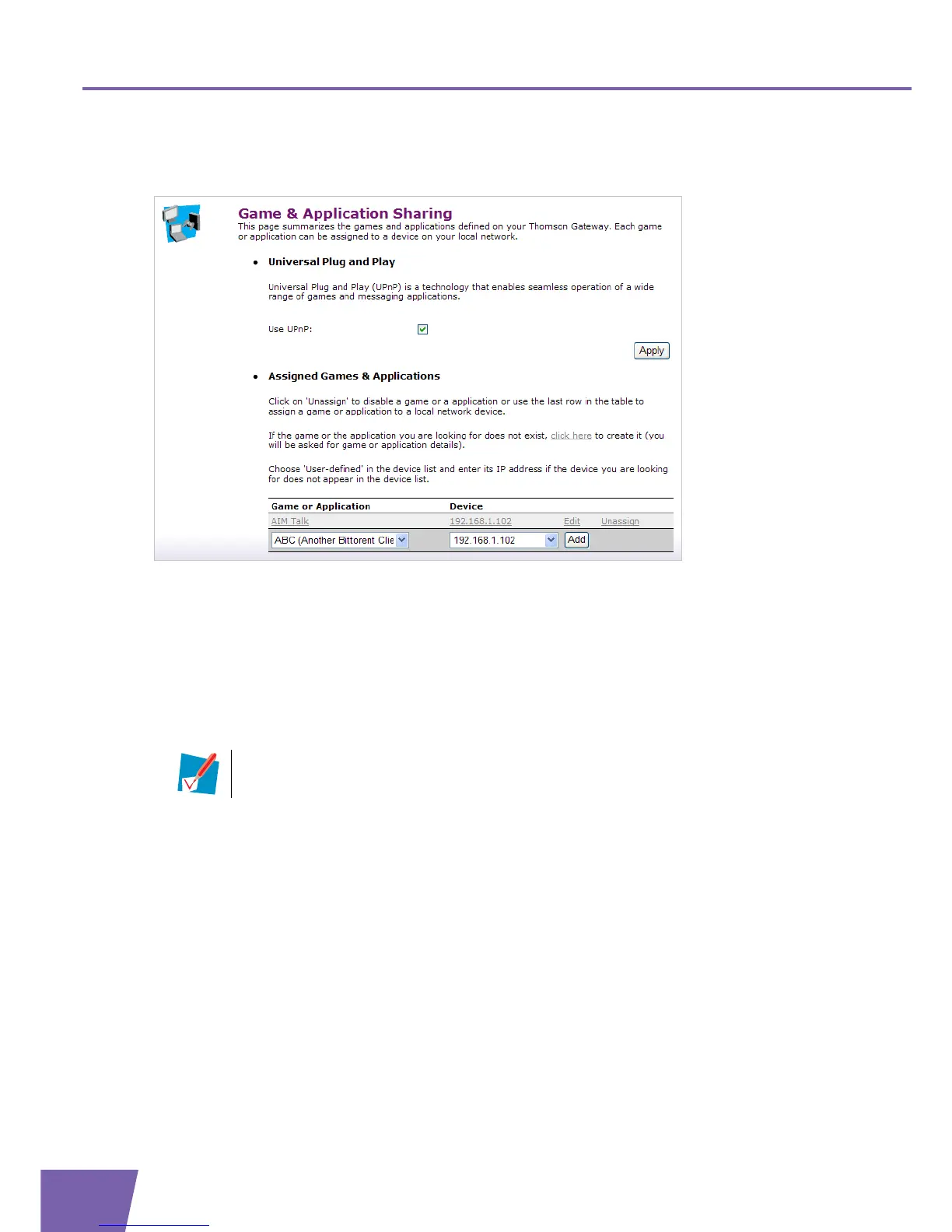
The Game & Application Sharing Configure page consists of the following components:
Universal Plug and Play:
This section allows you to enable/disable UPnP on your Thomson Gateway.
UPnP provides NAT-Traversal: UPnP aware applications on a computer will automatically create Hyper-
NAT entries on the Thomson Gateway for incoming traffic on the protocol ports this type of traffic needs.
As a consequence these applications are able to traverse the Thomson Gateway without the need for
extra and manual configuration.
To enable/disable UPnP, proceed as follows:
1 Select/clear the Use UPnP check box.
2 Click Apply.
Assigned Games & Applications:
This section allows you to:
Assign a game or application to a specific network device.
Proceed as follows:
1 In the Game or Application list, click the game or application that you want to assign.
2 In the Device list, click the device that you want to assign the game or application to.
3 Click Add.
Edit an existed assignment.
Proceed as follows:
1 Click Edit next to the game or application that you want to edit.
2 In the Device list, click the device that you want to assign the game or application to.
3 Click Apply.
Delete the assignment of the game or application to a local host, click Unassign next to the game or
application you want to unassign.
UPnP is an architecture for transparent peer-to-peer connectivity of computers, intelligent
appliances, and (wireless) devices. It enables seamless operation of a wide range of games and
messaging applications.



 To Next Page