E-DOC-CTC-20090507-0002 v1.0
71
6 Thomson Gateway GUI
Configure
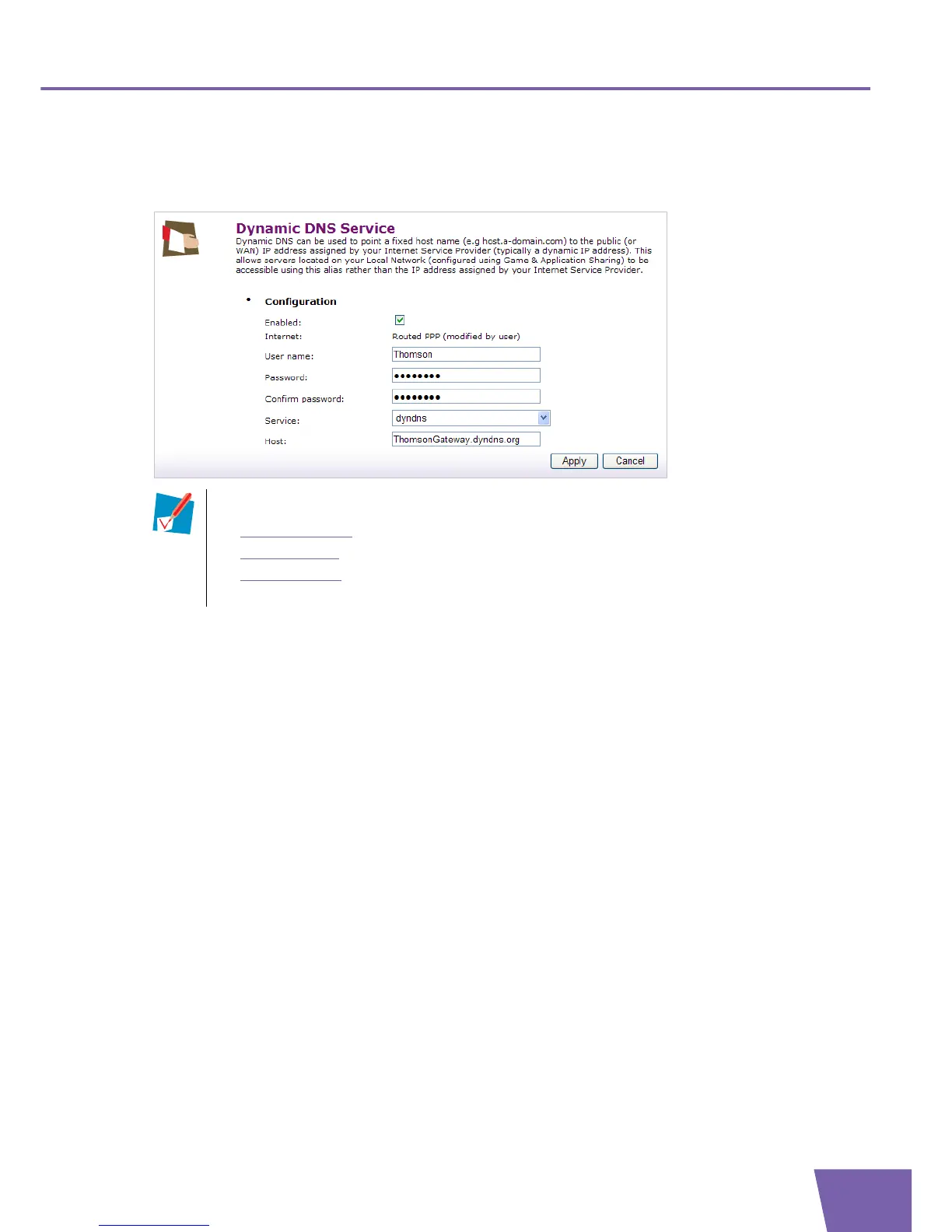
On the Dynamic DNS Service Configure page, you can assign a dynamic DNS host name to an Internet
connection.
To configure the dynamic DNS service, proceed as follows:
1 Select the Enabled check box.
2 Type the Username and Password of your dynamic DNS service account.
3 In the Service list, click your dynamic DNS service provider.
4 In the Host text box, type the host name you want to assign to this interface (for example Thomson
Gateway.dyndns.org), as registered at the dynamic DNS service provider.
5 Click Apply.
Before you start configuring the dynamic DNS service, you have to create an account at a dynamic
DNS service provider of your choice, for example:
www.dyndns.com
www.no-ip.com
www.dtdns.com
A dynamic DNS service provided by your ISP.



 To Next Page