33
Part List Menu
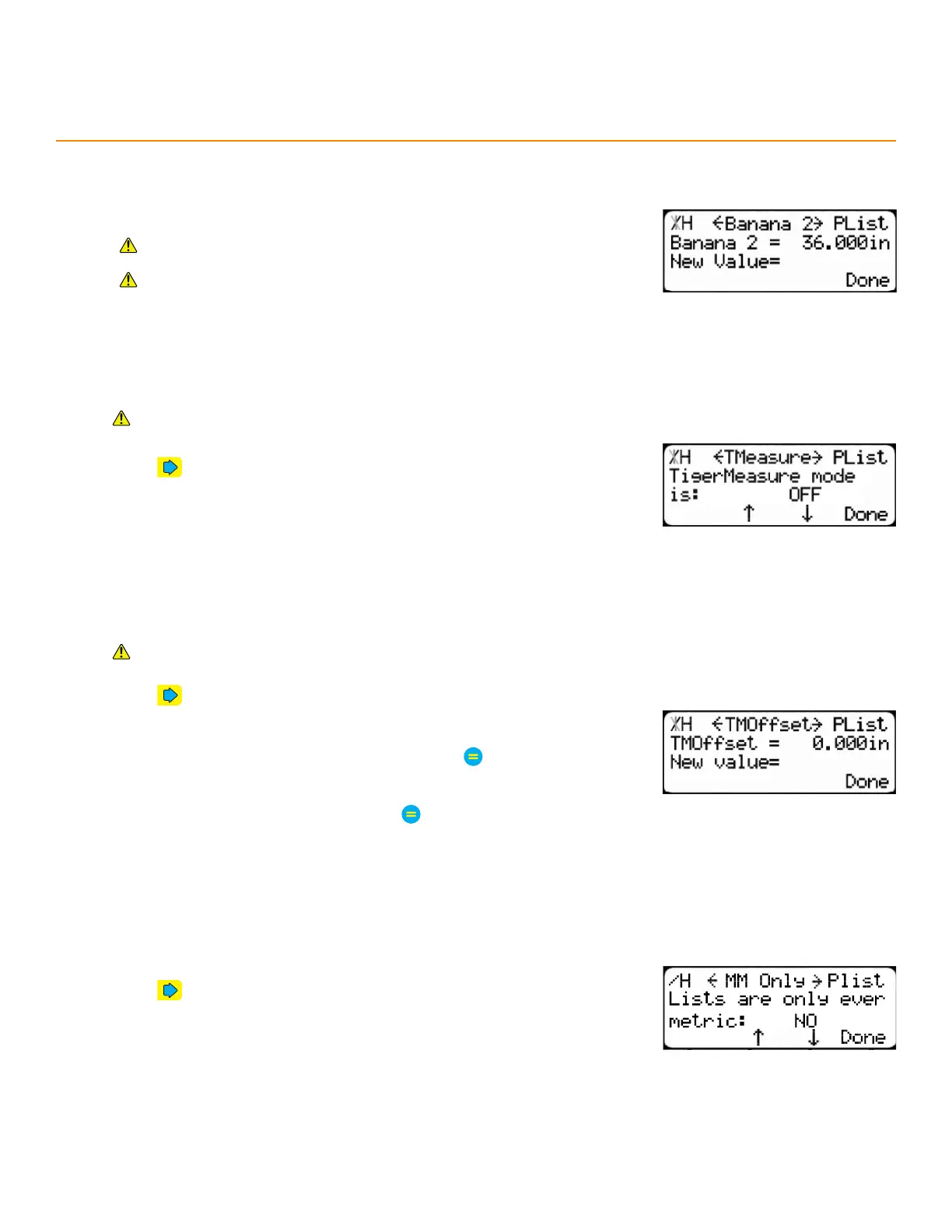
banana 2
Sets a second maximum cut length for working with warped stock.
Requires Dynamic Optimization and the Precision End Trim enable
code.
Contact TigerStop
®
Customer Service before adjusting this setting.
tigeRmeaSuRe
Turns TigerMeasure’s sensor on or o.
Requires TigerMeasure.
1. Press until reaching the TMeasure screen.
2. Press the [↓] or [↑] soft key to toggle the setting.
tigeRmeaSuRe oFFSet
The distance between the tool’s zero point and the TigerMeasure sensor.
Requires TigerMeasure.
1. Press until reaching the TMOset screen.
2. Measure from the tool’s zero point to the TigerMeasure sensor.
3. Enter the TigerStop
®
’s password and then press
• By default, the TigerStop
®
’s password is the serial number.
4. Enter this measurement and then press
millimeteR only
Enable to process part lists in metric, only.
1. Press until reaching the MM Only screen.
2. Press the [↓] or [↑] soft key to toggle the setting.


 To Next Page