3-52
Chapter 3
INSTALLATION AND SETTING PROCEDURES (HARDWARE)
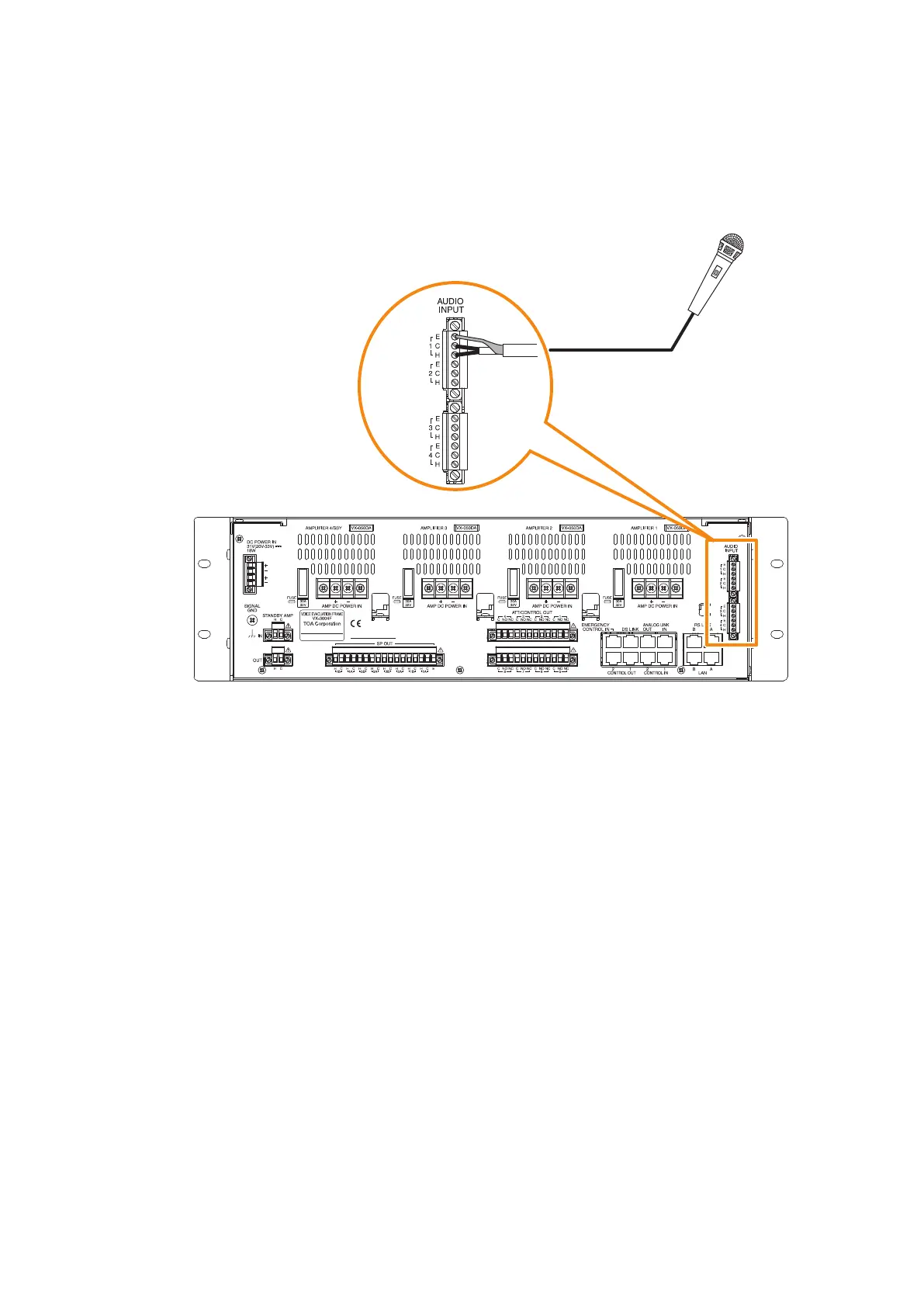
4.2.5. Connecting other input equipment
Connect microphones or other sound sources with line outputs using 2-core shielded cables.
Four input channels (1 through 4) are provided for the AUDIO INPUT. Use the VX-3000 Setting Software to
settheirvolume,purpose,andtype,etc.(SeetheseparateSettingSoftwareInstructions,"Unitconguration
setting.")
VX-3000F



 To Next Page