◇13
Chapter 3 Part names and Functions
This chapter describes the names and functions of components such as switches, displays, and connectors
on the front and rear panels.
3.1 Front Panel
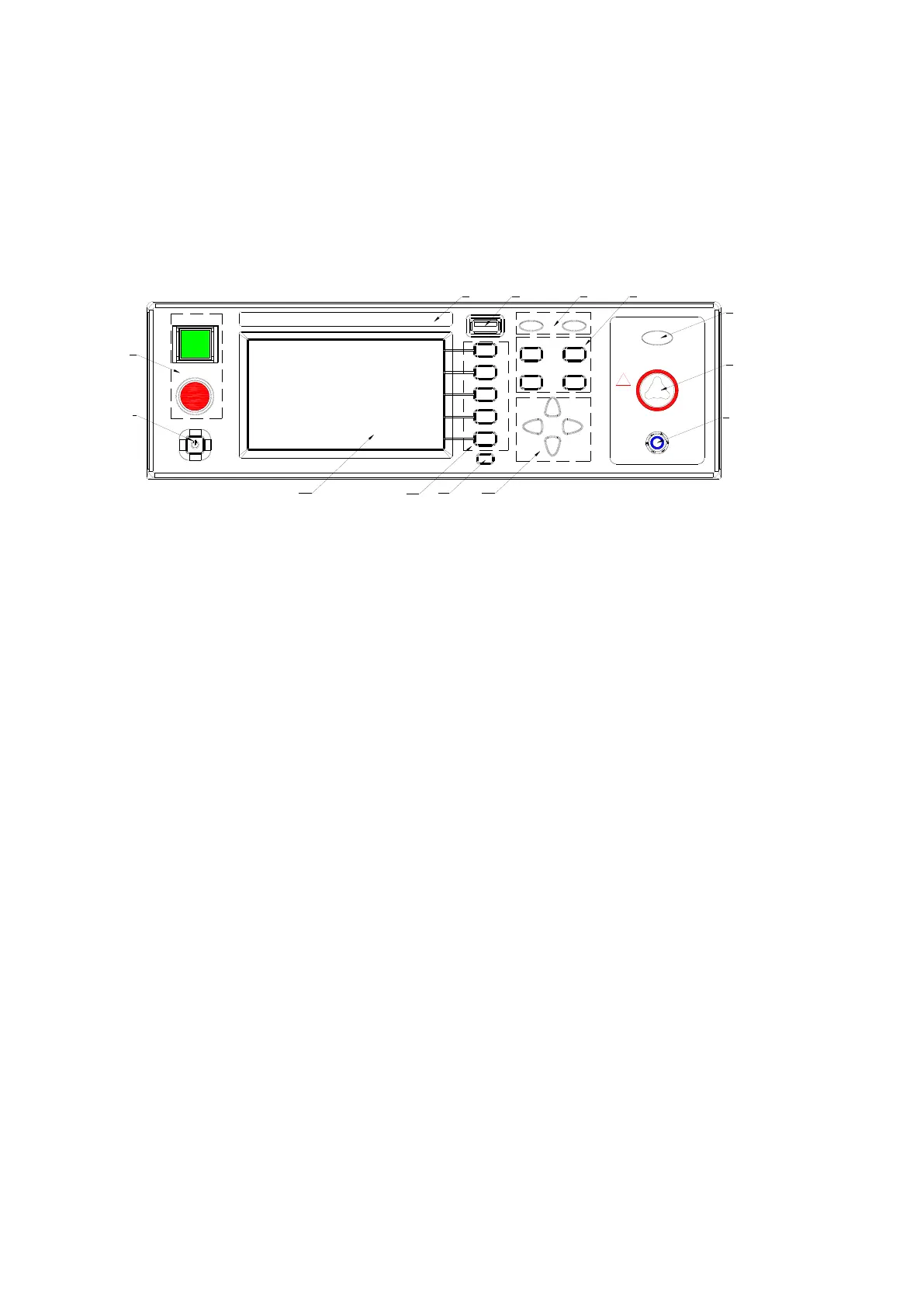
Figure 3-1 gives a brief description of the front panel for TH9310/20 series.
HV
RTN/LOW
OUTPUT
!
HIGH VOLT
MAX 5kV AC
START
STOP
POWER
FAIL PASS
SETUP
SYSTEM FILE
COPY
TEST
1
2
13
12
11
10
8
7
6
9
543
Figure 3-1
3.1.1 POWER
Power switch---Operators must make sure the power types and the test line connections are
normal.
3.1.2 START and STOP
START (square): to start up the instrument, once test starts, “DANGER” indicator lights.
STOP (circle): Stop key, used to cancel the test, or PASS, FAIL status.
3.1.3 Band and Model
Band and model
3.1.4 USB Interface
Externally connect to USB storage.
3.1.5 Indicator
● FAIL
When the test data exceeds the set data in test, the instrument will lights in FAIL.
● PASS
When the test data does not exceed the set data after the test, the instrument will lights in PASS.
When time function is off (TIMER OFF), there is no PASS judge. The test can be finished only by
pressing the ‘STOP’ key.



 To Next Page