5-5
A3524 Rev 1.1
Installing Topcon Hiper-AG RTK Mobile Base Station
Indicator LEDs
If none of the LEDs ash when the unit is powered ON the unit may be
in a Zero Power State (normally shipped in this state). To rectify this
press the RESET button.
If the LEDs still do not ash, the receiver’s internal battery may be at.
To rectify this plug the external power supply into the PWR socket
using the cable supplied with the red-shrouded ODU plug (see
“Connecting the Power/ Communication cables”, page 5-2).
There are 4 indicator LEDs on the face of the Hiper-AG.
Switching the Hiper-AG ON
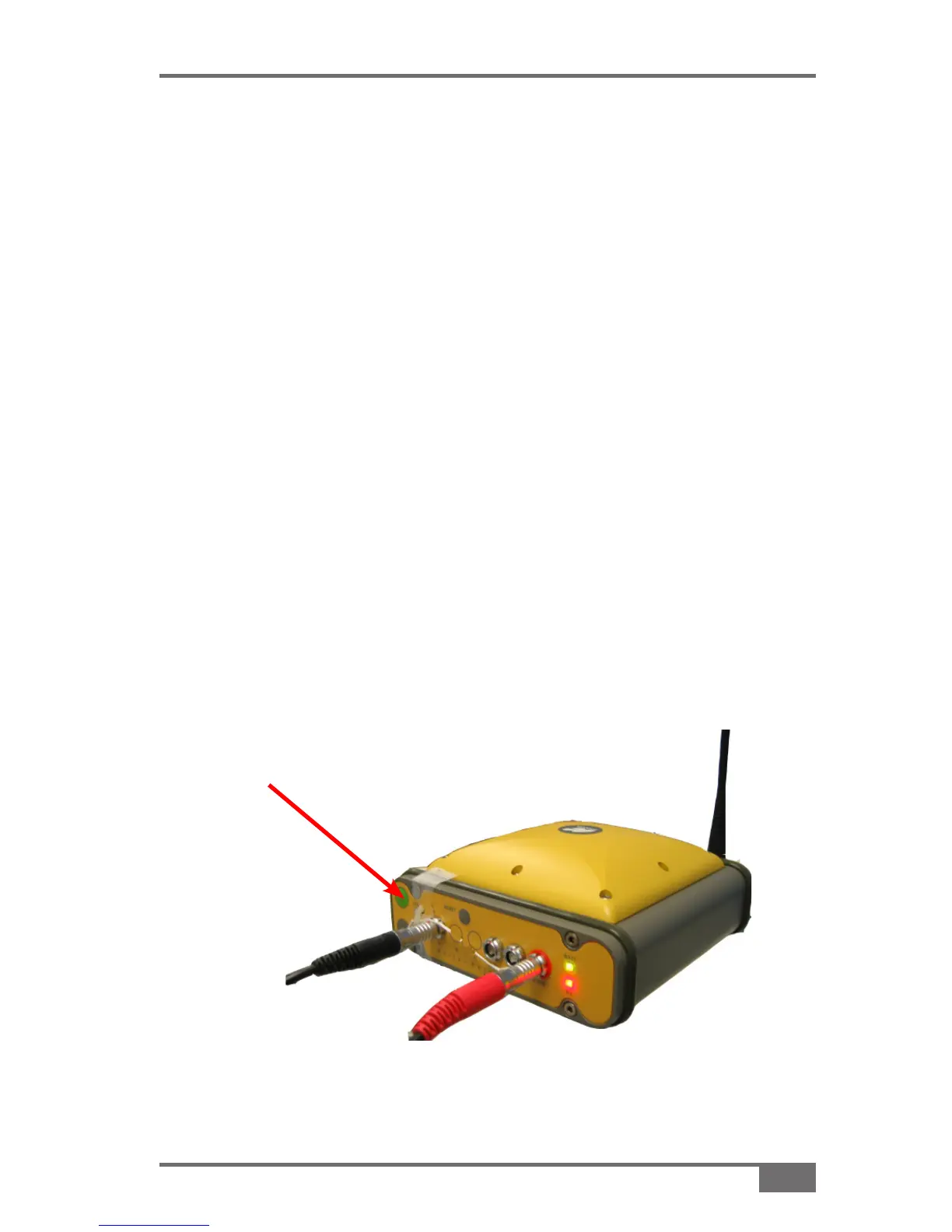
Press and hold the green 1. Power button until the unit turns on.
When the unit turns on the LEDs should all ash, indicating power is
being supplied to the receiver.
If the unit does not turn on it is probably in Zero Power State
(see “Indicator LEDs”, page 5-5).
Green power
button
Figure 5-4. Press and hold the green power button to turn on unit



 To Next Page