9-13
9 MEMORY MANAGER MODE
9.6 Editing PCODE Library
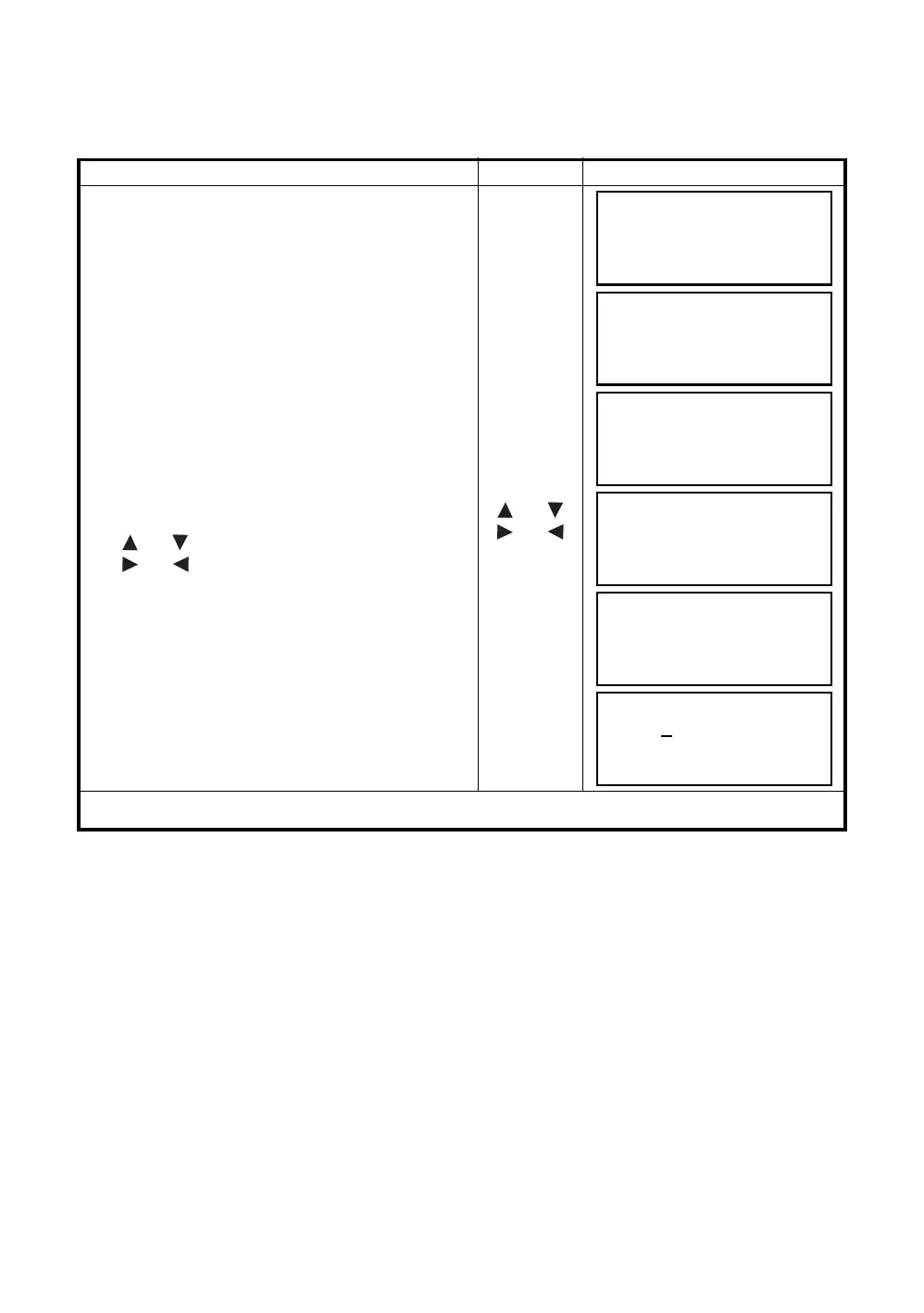
PCODE data can be entered into PCODE Library in this mode.
A PCODE is linked with a number of 1 to 50.
PCODE can be also edited in DATA COLLECT menu 2/3 in the same way.
Operating procedure Operation Display
1 Press the [F3](MEMORY MGR.) key from the
menu 1/3.
[F3]
2 Press the [F4](P
↓
) key.
[F4]
3 Press the [F3](PCODE INPUT) key.
[F3]
4 By pressing the following keys, the list will
increase or decrease.
[ ] or [ ]: Increasing or Decreasing one by one
[ ] or [ ]: By ten Increasing or Decreasing.
[] or []
[] or []
5 Press the [F1](EDIT) key.
[F1]
6 Enter PCODE and press the [F4](ENT) key. *1)
Enter PCODE
[F4]
*1) Refer to Section 2.6 “How to Enter Alphanumeric characters”.
MEMORY MGR. 1/3
F1:FILE STATUS
F2:SEARCH
F3:FILE MAINTAN. P
↓
MEMORY MGR. 2/3
F1:COORD. INPUT
F2:DELETE COORD.
F3:PCODE INPUT P
↓
→
001:TOPCON
002:TOKYO
EDIT ––– CLR –––
011:URAH
→
012:AMIDAT
013:HILLTO
EDIT ––– CLR –––
011:URAH
→
012=AMIDAT
013:HILLTO
[ALP][SPC][CLR][ENT]
011:URAH
→
012:AMISUN
013:HILLTO
EDIT ––– CLR –––



 To Next Page