Shenzhen Topwisdom Technology Co., Ltd
There is 9 location can choose. If you set the location in upper right, the output file will
be processed in the lower left side of the laser head. As shown in Fig. 4-8.
Fig. 4-8
4.1.3 Track Setting
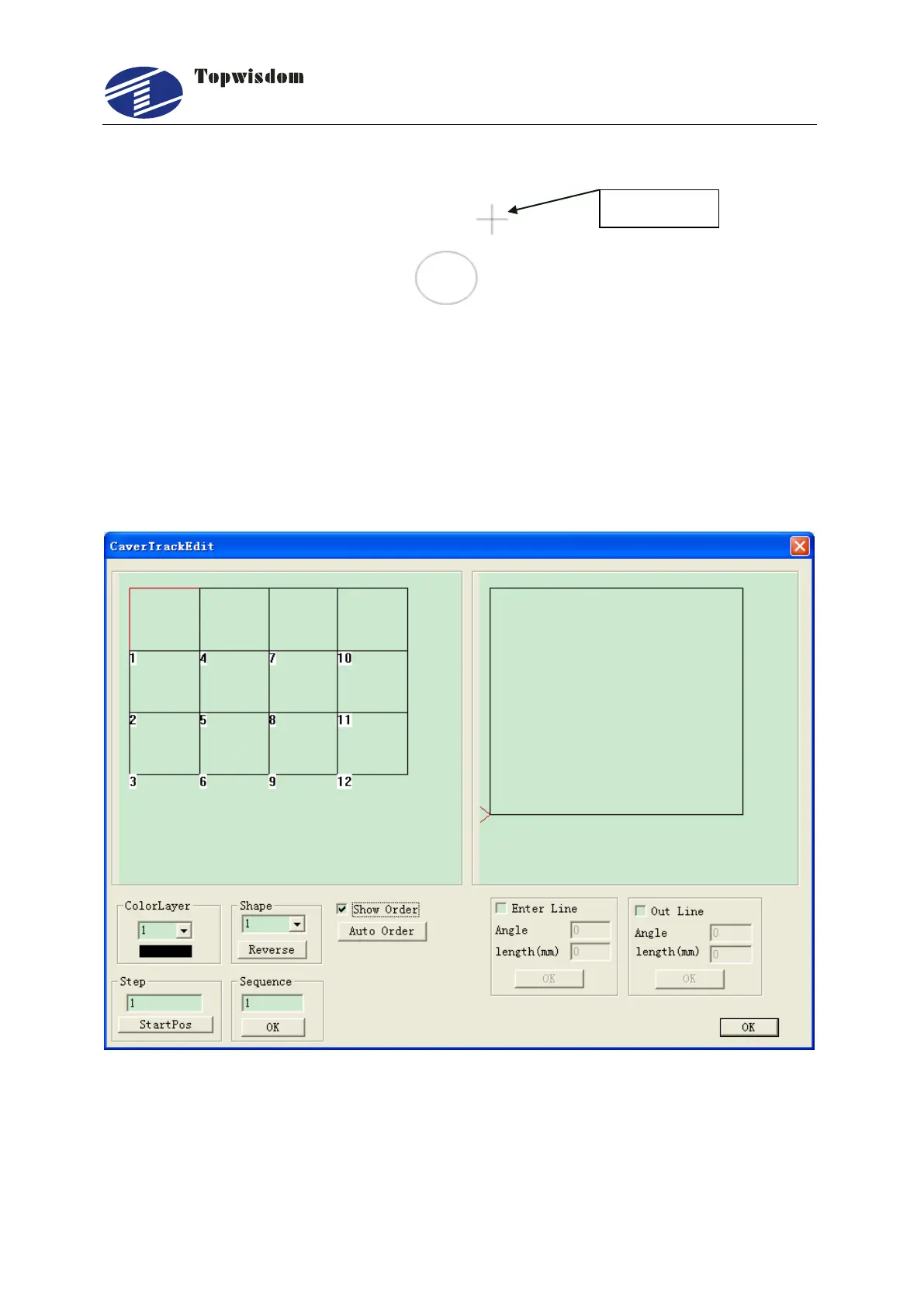
Click the ―TrackSet‖ button in Fig. 4-2, a track setting window will be shown. It can set
the cutting order and the cutting start point of the line in different shape or layer. As
shown in Fig. 4-9.
Fig. 4-9.
ColorLayer: Select the color layer number you want to adjust. It will display all the
shapes in this layer in the upper left window.
Shape: Each shape has a serial number. It means its processed order in this layer.



 To Next Page