Controls
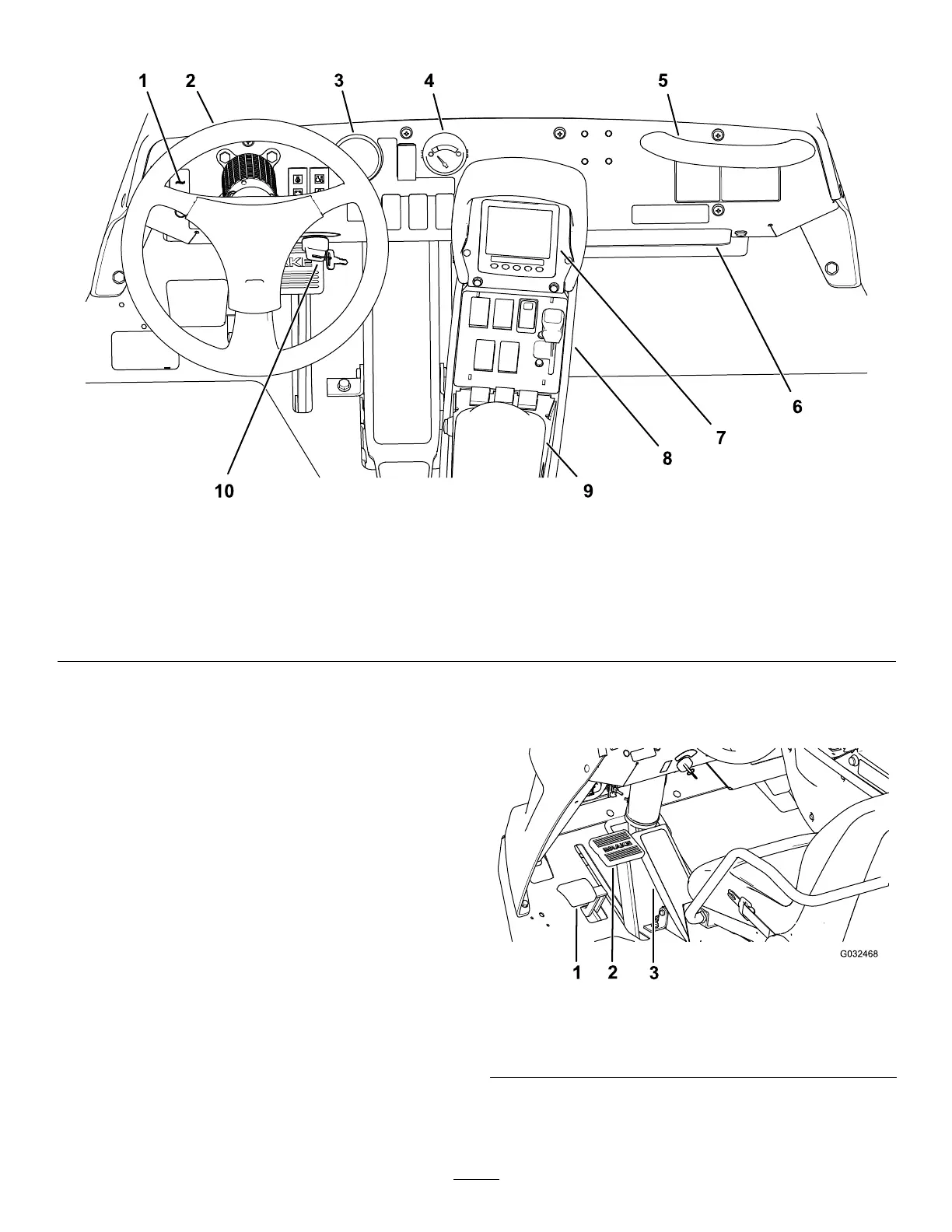
g216445
Figure9
1.Work-lightswitch
6.Storagecompartment
2.Steeringwheel
7.InfoCenter
3.Pressuregauge
8.QuickFind™console
4.Fuelgauge9.Armrest
5.Passenger-handhold10.Ignitionswitch
VehicleControls
TractionPedal
Thetractionpedal(Figure10)controlsthemovement
ofthemachine,bothforwardandreverse.Usingthe
toeorheelofyourrightfoot,pressthetopofthepedal
tomoveforwardorthebottomofthepedaltomove
themachineinreverse.Releasethepedaltoslow
andstopthemachine.
Important:Ensurethatyouallowthesprayer
tocometoastopbeforeswitchingbetweenthe
FORWARDandtheREVERSEpositions.
Note:Thefartheryoupressthepedalineither
direction,thefasterthesprayertravels.Toobtain
maximumforwardspeed,setthethrottlelevertothe
FASTpositionandpressthetractionpedalalltheway
forward.
Note:Togetmaximumpowerunderheavyloador
whenascendingahill,movethethrottleintheFAST
positionwhilepressingtractionpedalslightlytokeep
theenginespeedhigh.Whentheenginespeed
beginstodecrease,releasethetractionpedalslightly
toallowtheenginespeedtoincrease.
g032468
Figure10
1.Parking-brakepedal3.Tractionpedal
2.Brakepedal
16






 To Next Page