4 Replacement Procedures Error! Style not defined. Error! Style not defined.
4.5 Keyboard Cover and Keyboard
Removing the Keyboard Cover and Keyboard
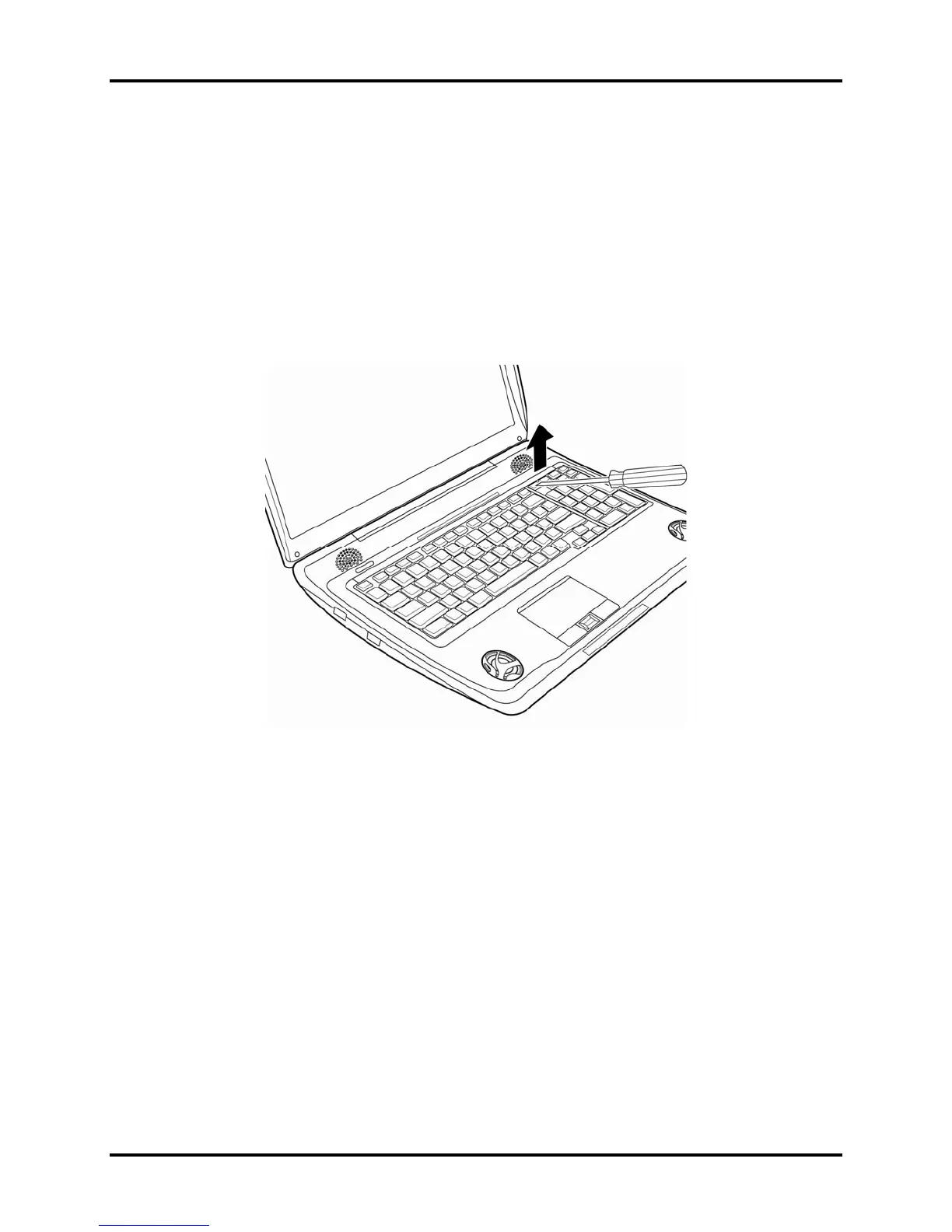
Remove the Keyboard Cover and Keyboard according to the following procedures and Figures
4-5, 4-6.
1. Use a pointed object to lift the keyboard from the computer.
2. Remove the keyboard cover.
Figure
4-5 Removing the keyboard cover
Qosmio X300 Maintenance Manual 4-16



 To Next Page
 Loading...