E6581528
F-65
6
6.34 Override
: Override addition input selection
: Override multiplication input selection
• Function
These parameters are used to adjust reference frequencies by means of external input.
Title Function Adjustment range Default setting
Override addition input selection
[Hz]
:Disabled
:VI/II (voltage/current input)
:RR/S4 (potentiometer/voltage input)
:RX (voltage input)
:Operation panel input enabled (including
LED/LCD option input)
:2-wire RS485 input enabled
:4-wire RS485 input enabled
:Communication option input enabled
:Optionl AI1 (differential current input)
:Optionl AI2 (voltage/current input)
:Up/Down frequency
:Optionl RP pulse input
:Optionl high-speed pulse input
:-(unsupported)
Override multiplication input
selection
[%]
:Disabled
:VI/II (voltage/current input)
:RR/S4 (potentiometer/voltage input)
:RX (voltage input)
:
:Optionl AI1
The override functions calculate output frequency by the following expression:
Frequency command value × (1+ )+Value [Hz] selected with
1) Additive override
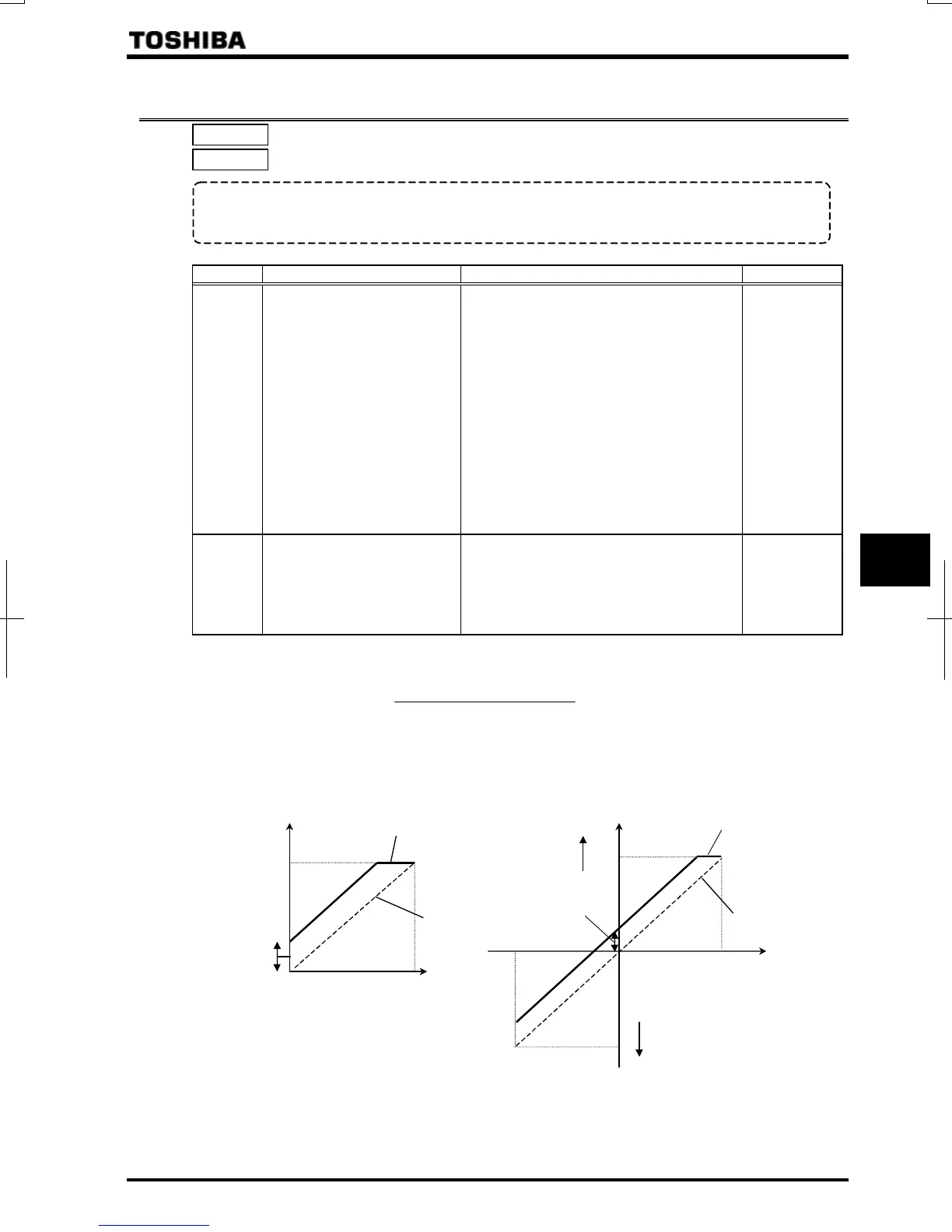
In th1is mode, an externally input override frequency is added to operation frequency command.
[Ex.1: RR/S4 (Reference frequency), VI/II (Override input)] [Ex.2:RX (Reference frequency), VI/II (Override input)]
Output frequency
Over-ridden frequency
Override
(VI/II input)
0
10V
Over-ridden frequency
Override
(VI/II input)
0
10V
RR/S4 input
(Reference
frequency)
()
RX input
(Reference
frequency)
Output frequency
Reverse run
Forward run
Value [%] selected with
100



 To Next Page
 Loading...











