- 24 - tousek / E_PULL-T5-T8-T10_49002305 / 19. 12. 2013
Transmitter RS 433-TXR or RS 868-TXR
TXR-4 TXR-2 TXR-1 TXR-2
Mini
T2 T4 T2 T1
T1
T1T3
T2
T1
Transmitter RS 433-TXR-B or RS 868-TXR-B
TXR-4B TXR-2B
T1
T2
T3
T4
T1
T2
PLEASE NOTE (when using 2-channel receiver RS 433- or RS868-STN2):
transmitter button T1 is always for complete opening
transmitter buttons T2–T4 may be used for example for control unit assignment of partial/pedestrian opening
•
• formoreinformationspleaseseereceivermanual
Transmitter button assignment Sliding gate operator PULL T5, -T8, -T10
6a
S
K
S
A
D
D
E
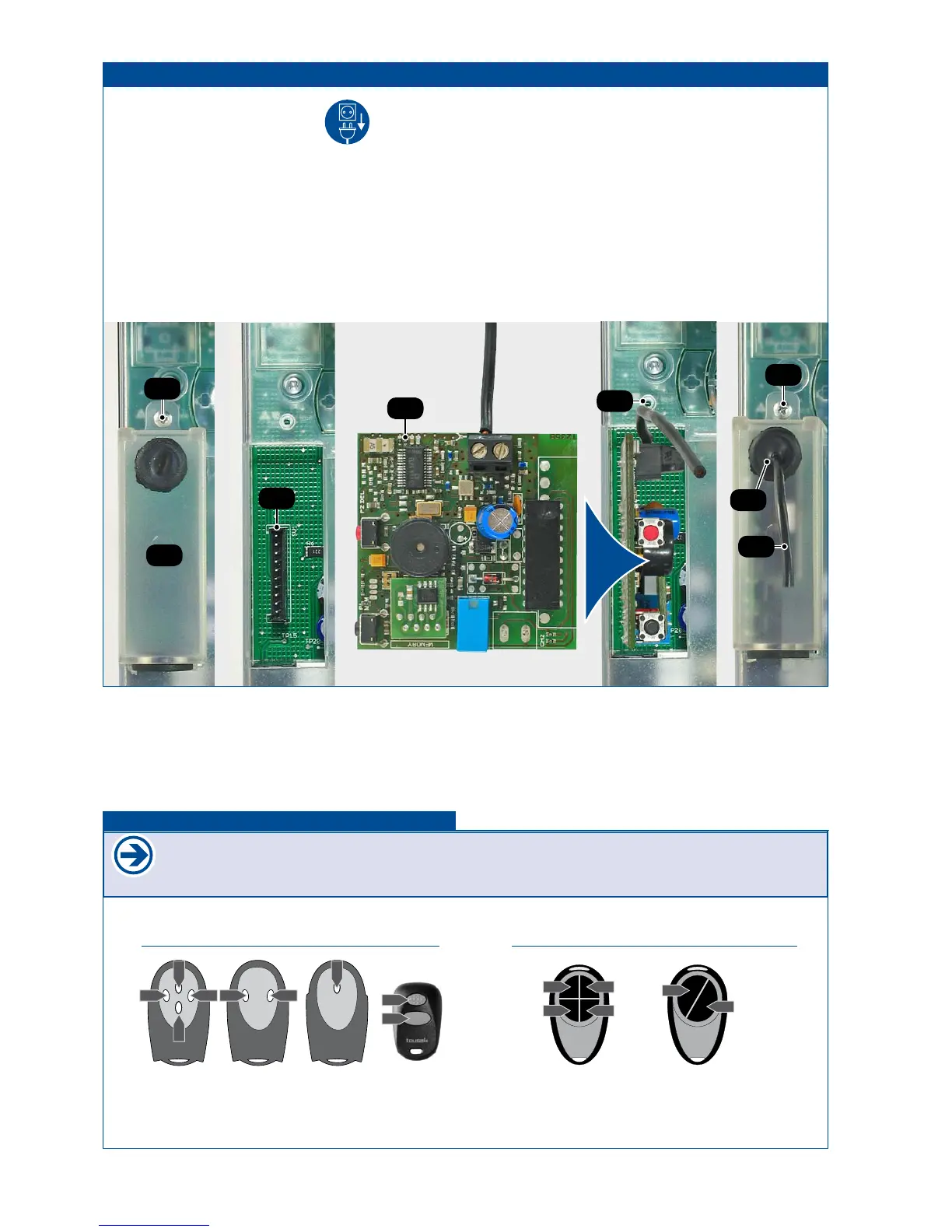
• Disconnect the power supply.
• Remove radio cover (6a) after loosening the bolt (S).
• Plug-in the receiver printed circuit board (E) (RS433/868-
STN1 (1 channel) or RS433/868-STN2 (2 channels))
into the corresponding slot (K) as shown in the picture.
With the use of the 2-channel-receiver the second chan-
nel takes over the function of the pedestrian entry mode
switch.
• Slide the antenna cable (D) through the output connection
(A).
• Place the radio cover (6a) back and x it with bolt (S).
• For programming of receiver please see manual for
radioreceiver.
6. Connecting the receiver Sliding gate operator PULL T5, -T8, -T10



 To Next Page