62
Chapter 11
Specify Your Network Settings
Router 1
LAN: 192.168.1.1
WAN: 219.134.112.246
PC 1
Subnetmask: 255.255.255.0
WAN: 219.134.112.247
Router 2
PC 2
LAN: 192.168.2.1
Subnetmask: 255.255.255.0
Site A
Site B
How can I do that?
1. Make sure of the topology you want to build and record site A (local network) and
site B (remote network)’s LAN IP and WAN IP.
2. Configuration on site A (local network).
1 ) Visit http://tplinkmodem.net, and log in with the password or your TP-Link ID.
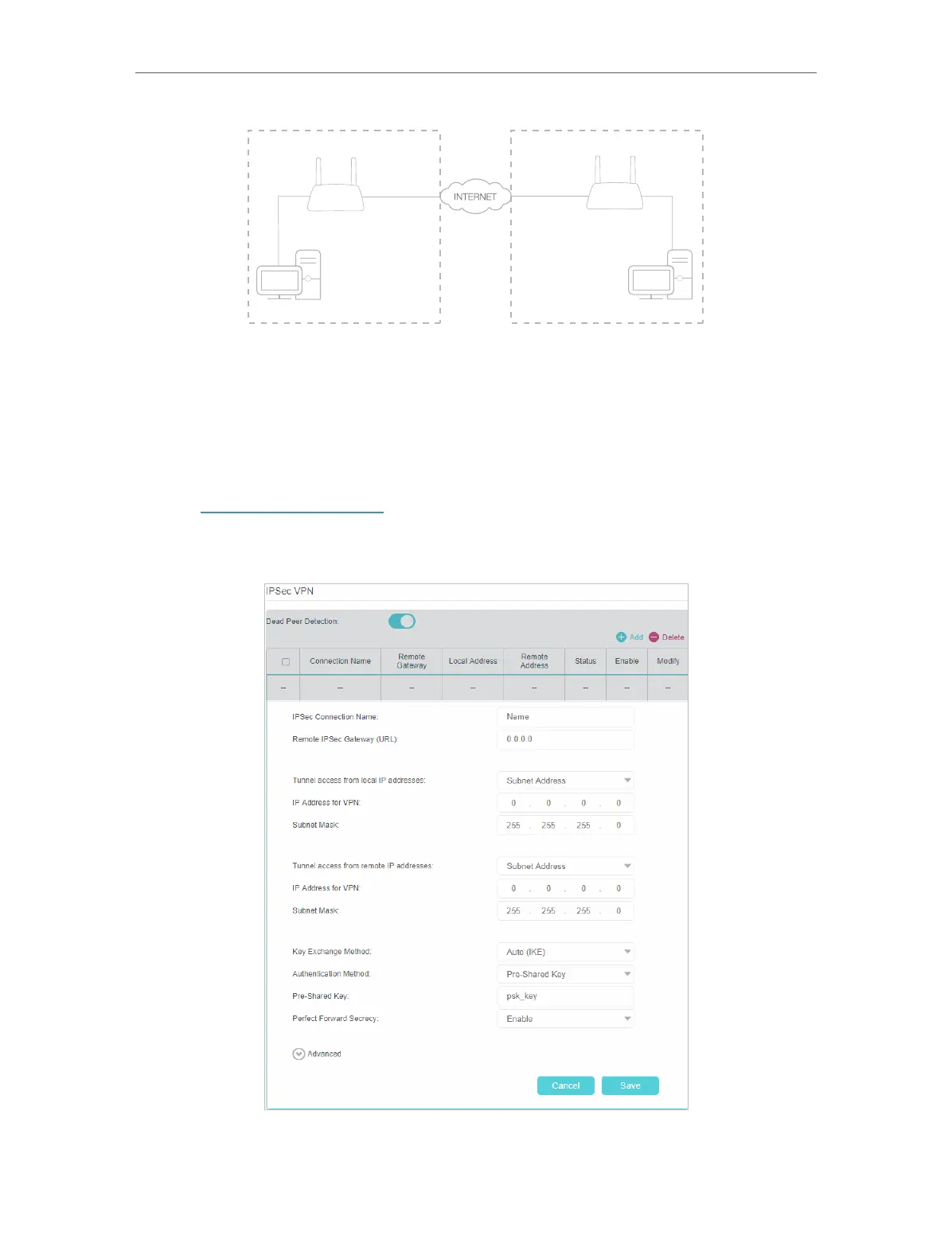
2 ) Go to Advanced > VPN > IPSec VPN to open the configuration page. Click Add to set
up a VPN tunnel.
3 ) In the IPSec Connection Name column, specify a name.















 To Next Page