
 Need help?
Do you have a question about the TP-Link SR20 and is the answer not in the manual?
Step-by-step guide for initial router configuration using the Kasa app.
Details pairing ZigBee/Z-Wave devices and creating custom "Scenes."
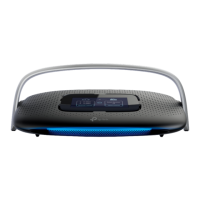
Instructions on how to perform a factory reset using the router's display.
Steps to log in and access advanced settings via a web browser.
Covers Firewall, DoS Protection, Access Control, and IP & MAC Binding.
Methods to reset the router to its default factory settings.
Steps to resolve problems with accessing the internet.
Solutions for issues accessing the router's web interface.
 General
| Brand | TP-Link |
|---|---|
| Model | SR20 |
| Category | Network Router |
| Language | English |



 To Next Page