TD-8811 ADSL2+ Modem Router User Guide
63
4.5.3 SNMP Agent
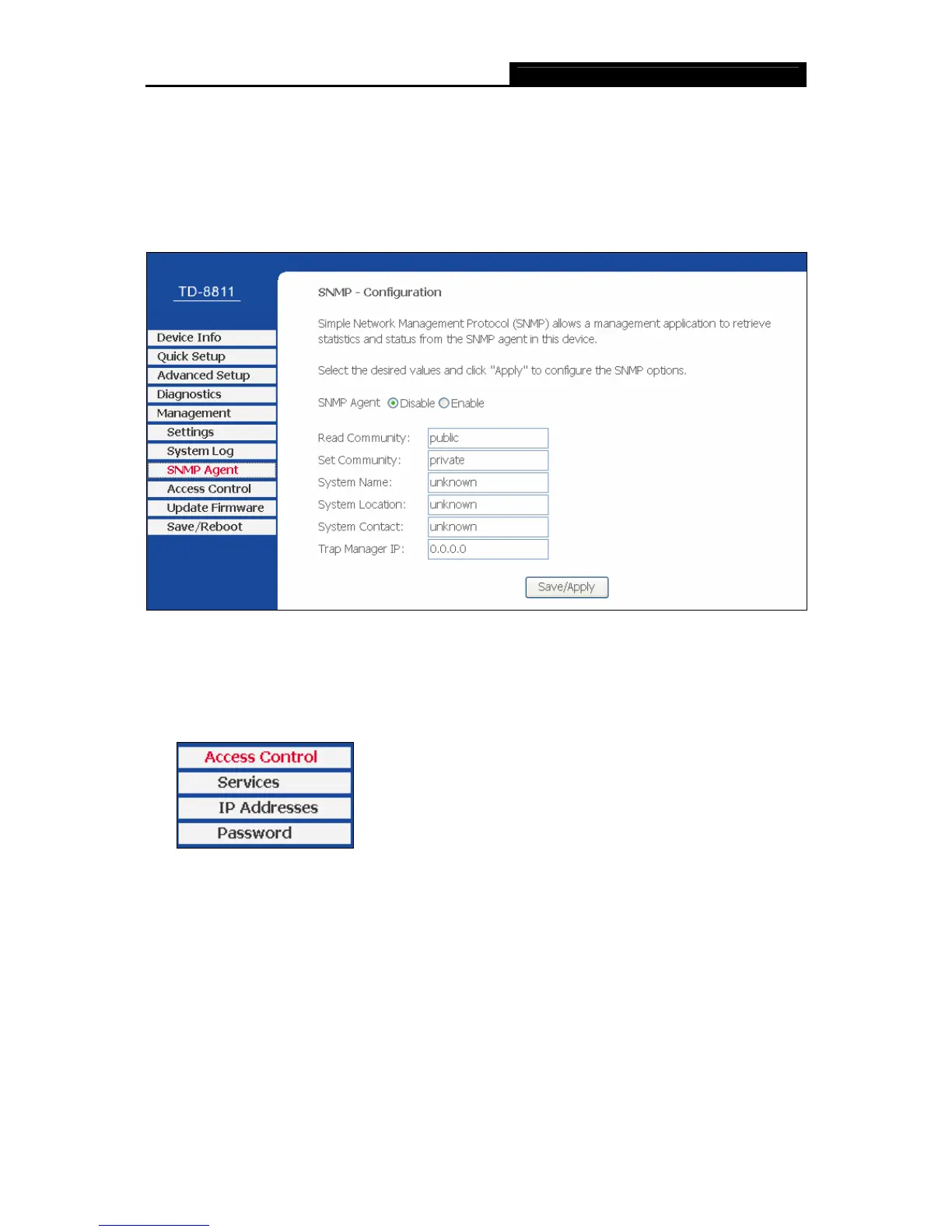
Choose “Management→SNMP Agent” menu, and you will go to the SNMP (Simple Network
Management Protocol) page as shown in Figure 4-47. SNMP allows a management application
to retrieve statistics and status from the SNMP agent in this device. Select the desired values
and click Save/Apply to configure the SNMP options.
Figure 4-47
4.5.4 Access Control
Choose “Management→Access Control” menu, and you will submenus as shown in Figure
4-48.
Figure 4-48
4.5.4.1 Service
Choose “Ac
cess Control→Service” menu, and you can enable or disable the services as
shown in Figure 4-49. Click Save/Appl
y to save your configurations.



 To Next Page