TD-VG3631
300Mbps Wireless N VoIP ADSL2+ Modem Router User Guide
16
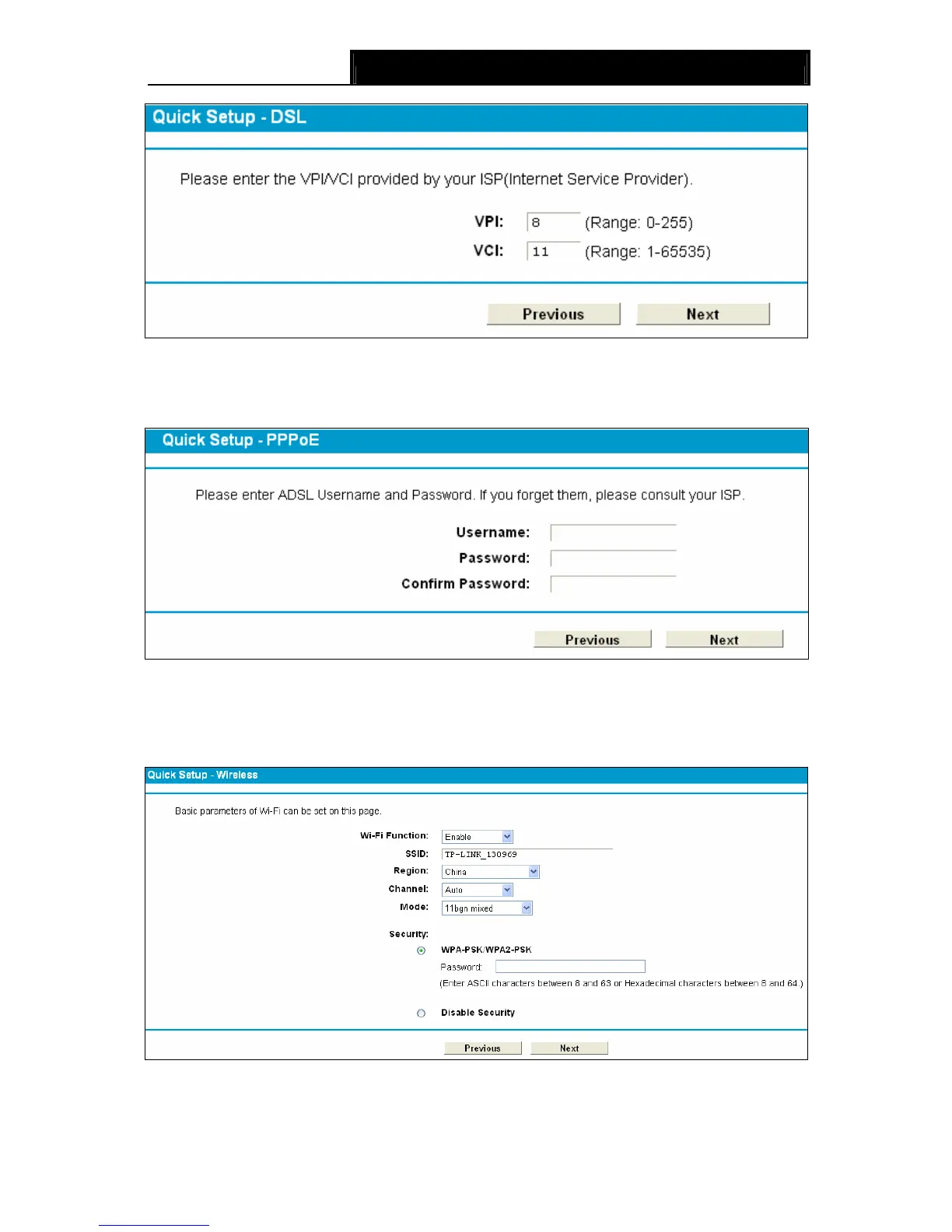
Figure 3-10
4. Here we select PPPoE WAN Link Type for example, enter the Username, Password and
Confirm Password given by your ISP, and then click Next.
Figure 3-11
5. On the Wireless screen, we use the default SSID, select Region and Mode. Set a Password
or select Disable Security(Disable Security is not recommended.), and then click Next to
continue.
Figure 3-12


 To Next Page
 Loading...