TD-VG3631
300Mbps Wireless N VoIP ADSL2+ Modem Router User Guide
17
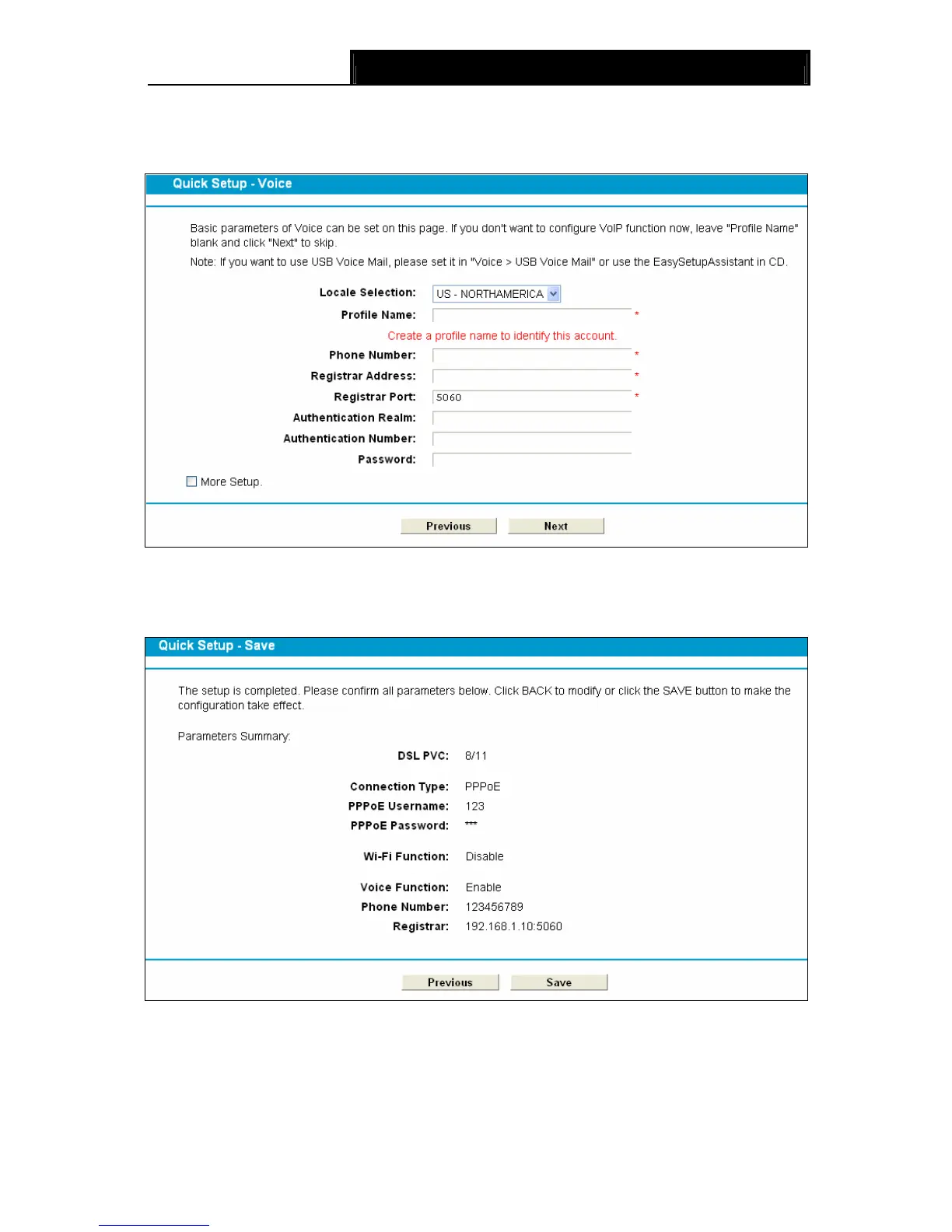
6. Basic parameters of Voice can be set on the Voice screen. Please enter a profile name to
identify this account and other parameters provided by your ISP. If you don’t want to configure
VoIP function now, leave "Profile Name" blank and click Next to skip.
Figure 3-13
7. On this page, please confirm all parameters. Click Previous to modify or click the Save
button to make the configuration take effect.
Figure 3-14
8. You will see the Complete screen below, click Finish to complete these settings.


 To Next Page
 Loading...