
 Need help?
Do you have a question about the Trail Tech Voyager and is the answer not in the manual?
Introduces the Main, Map, Engine Temp, Altitude, User, and Navigation tabs.
Explains the function of UP, DOWN, LEFT, RIGHT, MENU/POWER, BACK, and ENTER buttons.
Lists critical warnings and guidelines for safe operation and maintenance.
Answers common user queries regarding setup, operation, and features.
Details technical specifications for speed, distance, altitude, power, and dimensions.
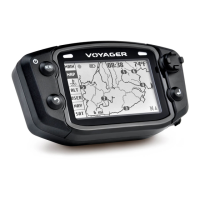
Identifies front and back unit components, mounting options, and sensors.
Guides on installing the wheel sensor magnet and sensor for different vehicle types.
Explains methods to measure wheel size and calibrate for accurate speed/distance data.
Details how to navigate Main, Map, Engine Temp, Altitude, User, and Navigation tabs.
Explains map display, trail logging, and pan/zoom functionality.
Allows users to customize data blocks displayed on the User Tab screens.
Accesses common commands like logging, ride memory reset, and waypoint selection.
Handles tracks, routes, waypoints, graphs, and import/export operations.
Configures units, power settings, GPS behavior, user screens, and utility functions.
Prepares and manages GPX track files for use with Voyager.
Guides on using Openstreetmaps and converting OSM to GPX for Voyager.
Integrates external mapping resources for track visualization and trail data.
 General
| Display Size | 2.7 inches |
|---|---|
| Water Resistance | IP67 |
| GPS Receiver | High-sensitivity |
| Mounting | Handlebar Mount |
| Data Logging | Yes |
| Memory | 8 MB |
| Sensors | GPS, Temperature |
| Power Source | Lithium-ion battery |
| Routes | 10 |

 To Next Page
