Need help?
Do you have a question about the Trail Tech VOYAGER PRO and is the answer not in the manual?
Answers common questions regarding device operation, features, and troubleshooting.
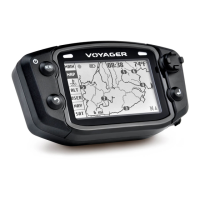
Overview of the device's physical buttons, dock, and external components.
Guidance on various mounting solutions, power requirements, and connecting to the vehicle.
Instructions for installing and configuring vehicle sensors like tach, temperature, and wheel speed.
Methods for accurately measuring and inputting wheel size for precise speed and distance readings.
How to navigate between main screens, understand the notification bar, and view data on cluster/tach screens.
Features for track recording, buddy tracking, waypoint management, and map layer customization.
Procedures for loading, saving, and clearing GPX files for routes and waypoints.
Setting up and using buddy tracking, emergency beacon, and managing display names and groups.
Controlling music playback, managing contacts, call history, and messages via Bluetooth.
Accessing and adjusting settings for display, vehicle profiles, units, and GPS configurations.
Using file browser, software updates, system info, and Bluetooth device management.
Details regarding product warranty, FCC compliance, and contact information for support.
 General
| Resolution | 480 x 272 pixels |
|---|---|
| Water Resistance | IP67 |
| Micro SD Slot | Yes |
| Charging | USB |
| Connectivity | Bluetooth, Wi-Fi |
| Sensors | GPS, GLONASS, Barometric Altimeter, Thermometer, Accelerometer |
| Mounting Options | Handlebar |
| Power Source | Rechargeable battery |


 To Next Page