Notification Bar Help
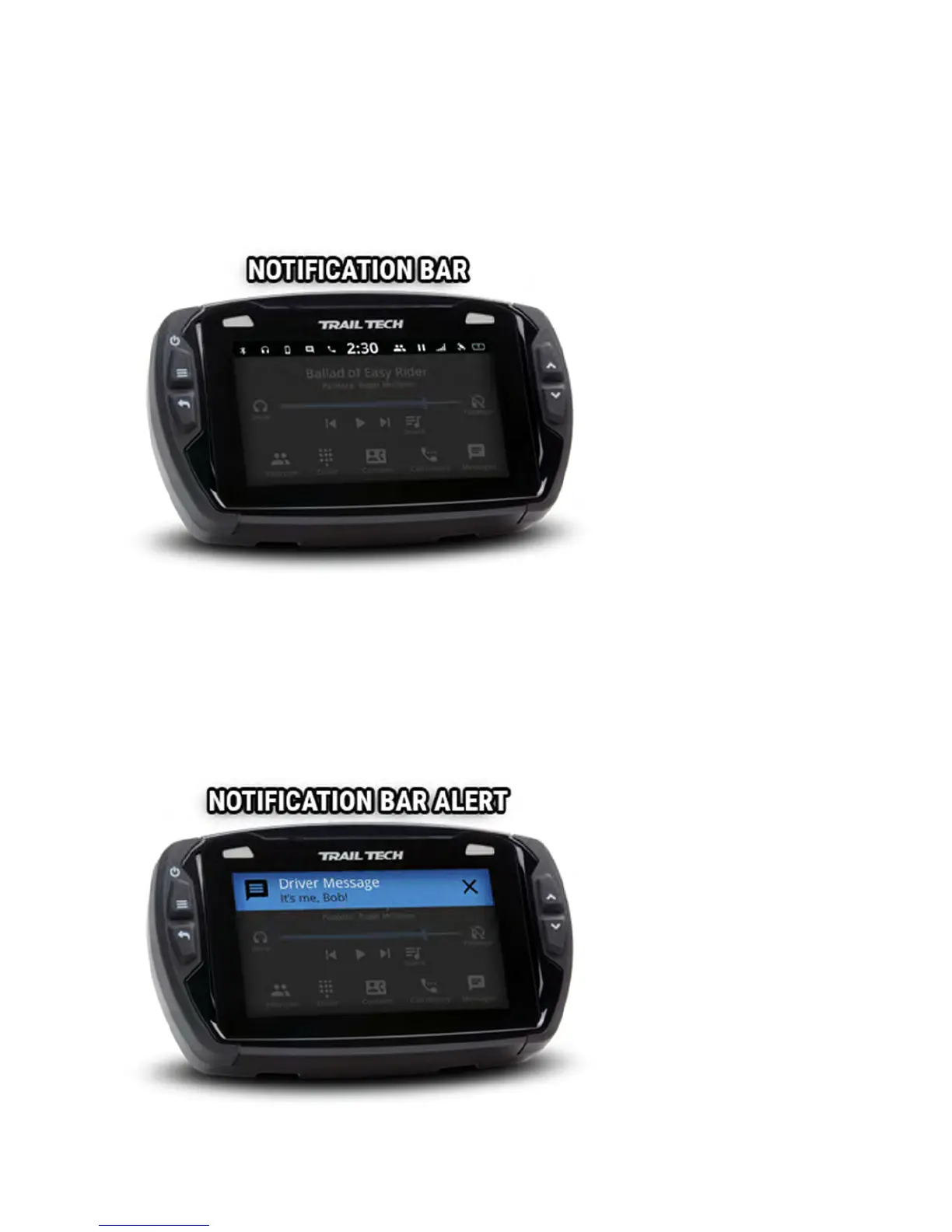
The bar across the top of the main screens shows the time of day and a
variety of helpful icons.
It displays color-coded icons for Bluetooth connection, cellphone connection,
headset connection, phone message notification, incoming call notification,
buddy tracking status, track logging status, cell signal strength, GPS status,
and internal battery level and charging status.
When a message or incoming call notification occurs, an alert bar will drop
down from the top of the screen.



 To Next Page