28 Trail Tech Voyager
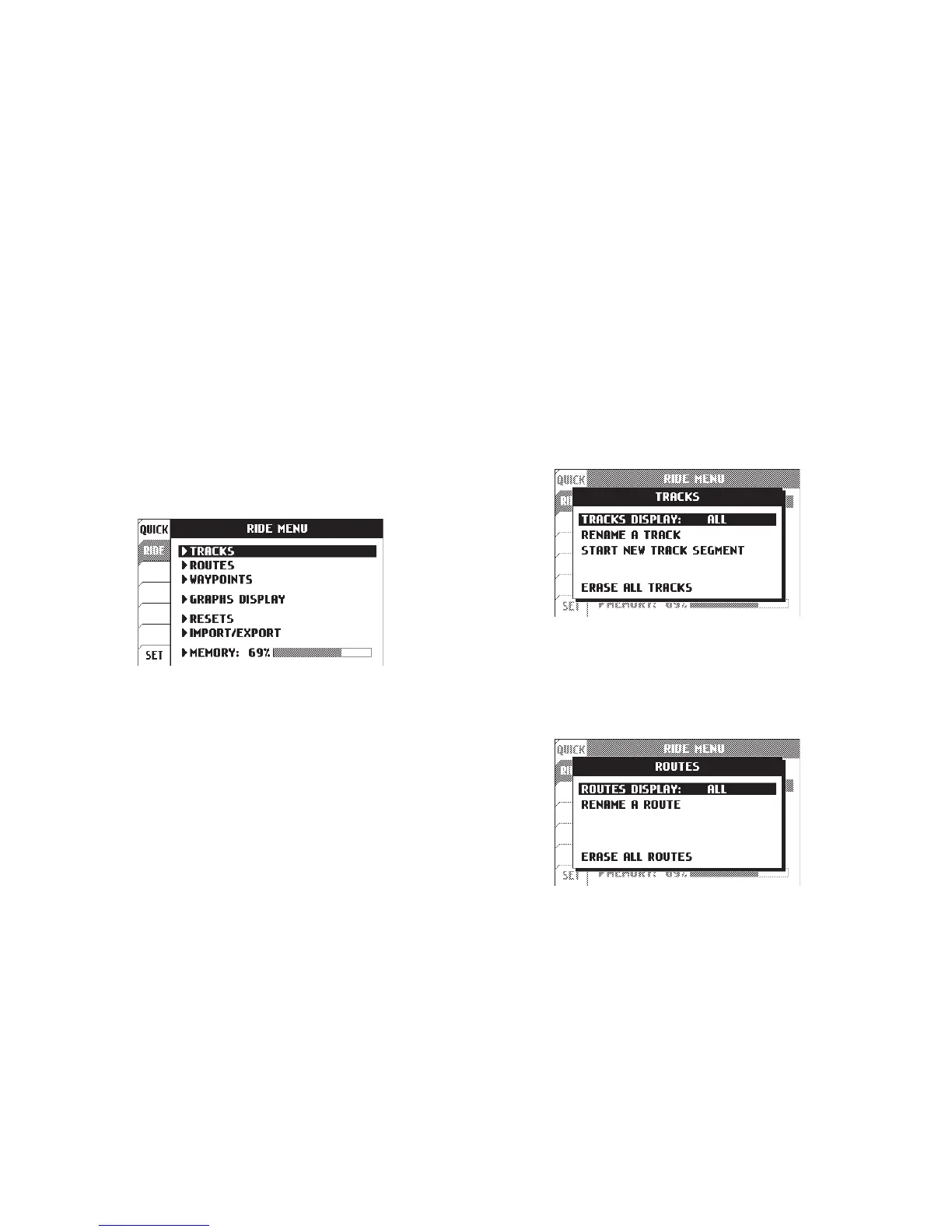
The ride menu is where rides are maintained.
Start or stop tracks, or import/export to the
MicroSD card for use on your personal
computer. Routes can be loaded from the
MicroSD card for display on the map alongside
your current ride.
Ride Menu:
A route appears grey on Voyager. It is intended
to show where to ride (i.e. un-ridden trails and
roads.)
A track appears black on Voyager. It shows the
current ride (i.e. where you have been or are
currently riding.)
Difference between Tracks and Routes:
A track is made by logging movement. Tracks
can be started, renamed, erased, or imported/
exported. The display of tracks can be
individually toggled on/off.
Tracks:
Ride Menu
Ride Menu > Tracks
Routes can be erased, renamed, or individually
toggled on/off.
Routes:
Ride Menu > Routes
Menu » Ride Menu


 To Next Page