V1.2 09/01/15 UD0130 Page 12 of 63
3.4 IFOBS STATUS ICONS
Please see below descriptions of each iFob status in the Traka21 system.
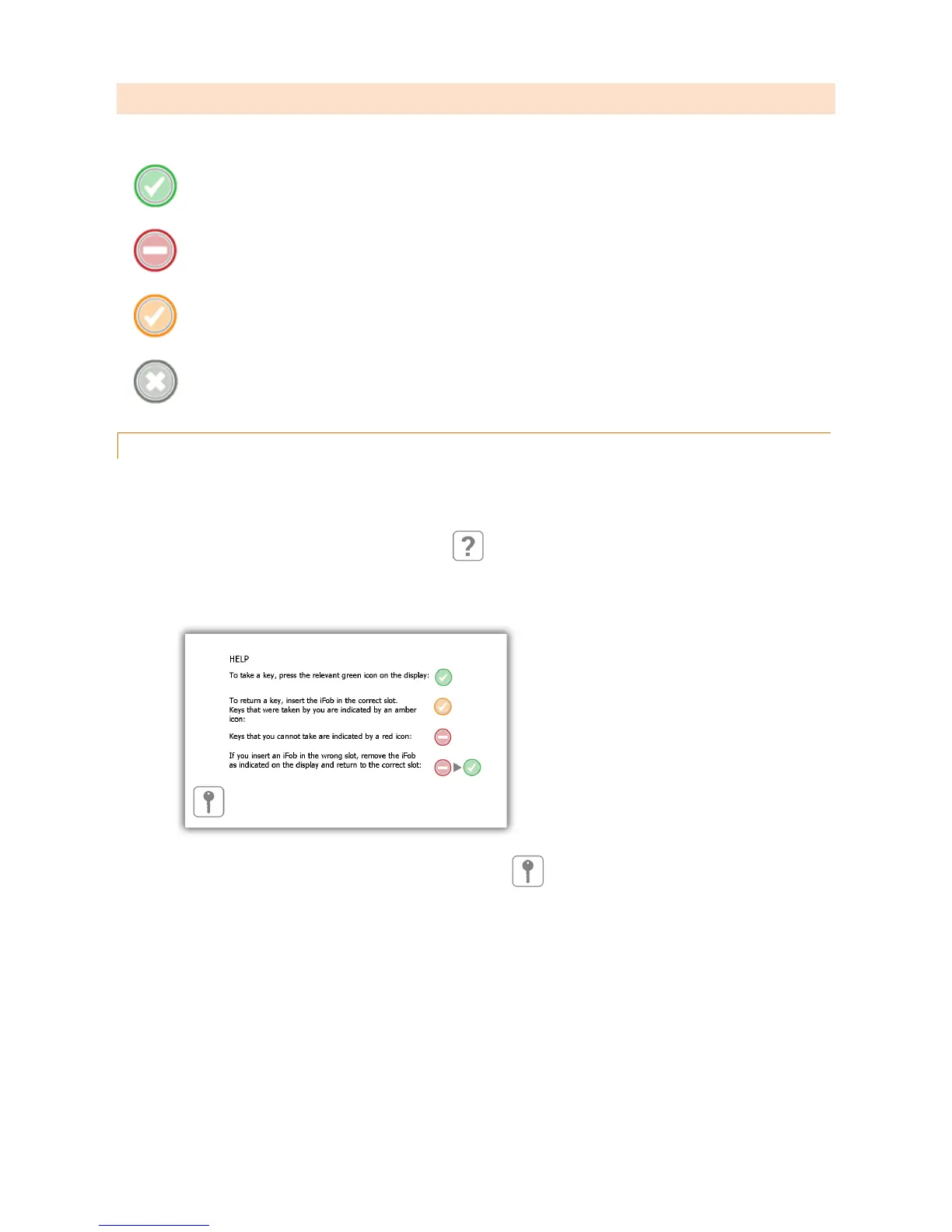
The green circle with a white tick symbol indicates that the user has access to the iFob.
The red circle with a white line shows that the user does not have access to the iFob
The orange circle with a white tick indicates that the iFob is out of the system to the currently logged in user.
The grey circle with a white cross shows that the iFob is out of the system to another user.
3.4.1 HELP
Whilst a user is logged in they can click the help button for information on the iFob stats and at what point they can
take a key.
1. Click the help button from the logged in screen
2. The help screen will then appear giving details on which iFobs a user can or can’t take.
3. To get back to the logged in screen click the keys button



 To Next Page