V1.2 09/01/15 UD0130 Page 35 of 63
4.5.2 WHO’S HAD A KEY?
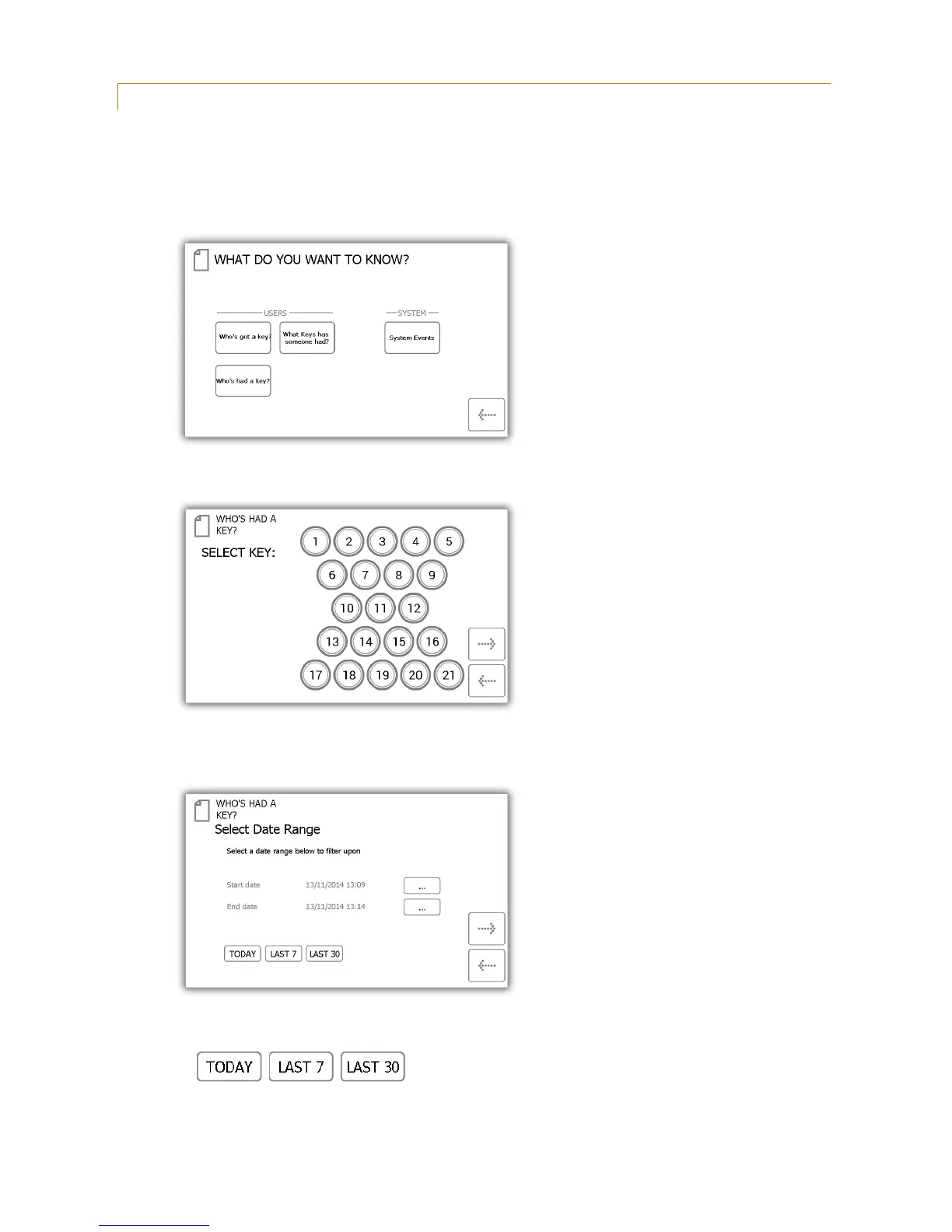
This report will allow you to see the history of a particular key, i.e. which users have had it out of the system.
1. From the admin menu select the reports button.
2. In the Users category, select the ‘Who’s had a Key?’ button.
3. Select the key you wish to view the history of and click the forward button.
4. Next you will need to filter your results by selecting a data range. You can manually enter a start and end
date or use the pre-set buttons at the bottom to automatically enter the date range for you.
The pre-sets buttons will automatically select the date range for you as follows...



 To Next Page